
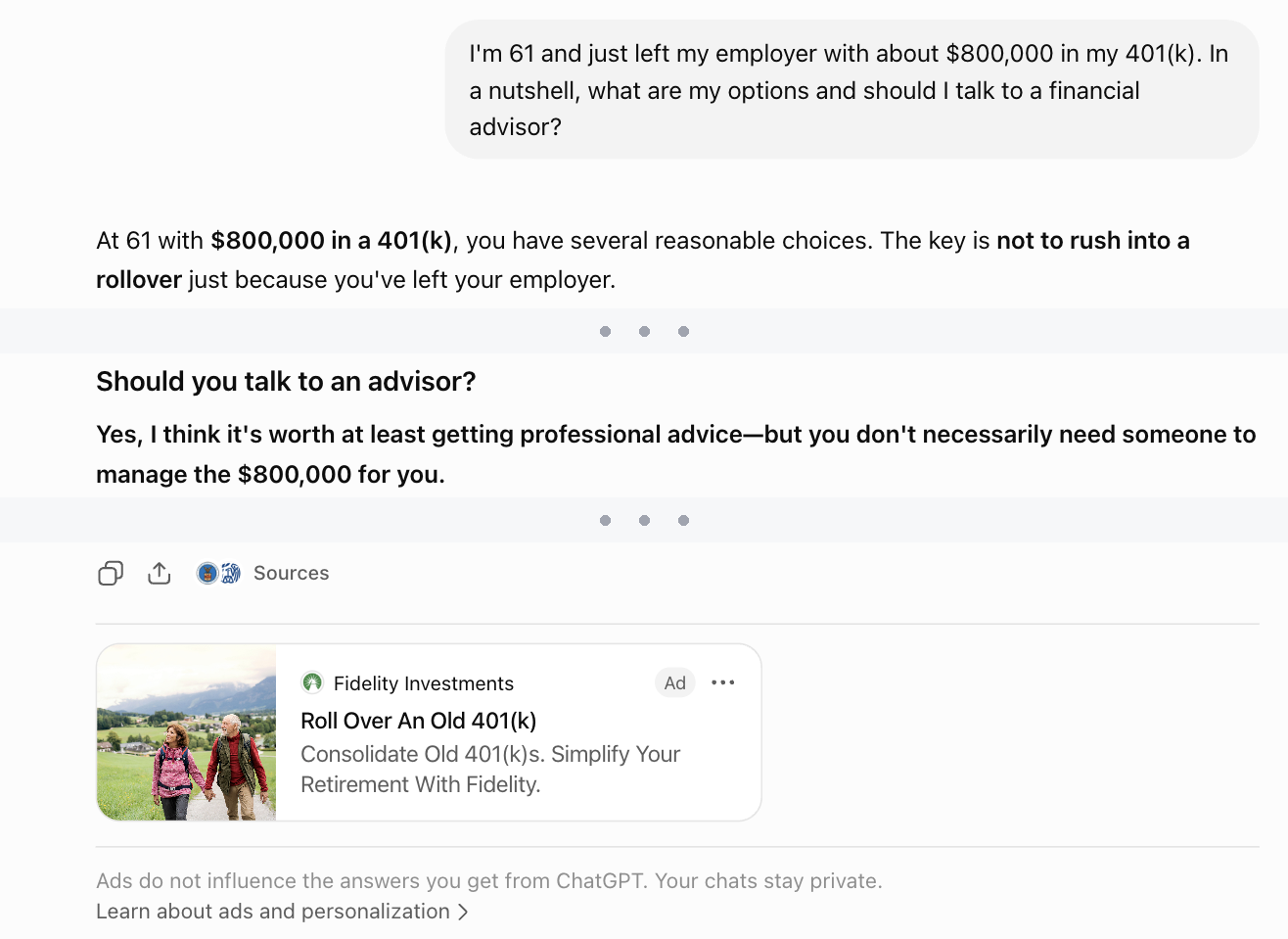
A real ChatGPT conversation from September 2026: someone with $800,000 asks whether to roll over their 401(k), the answer says to get professional advice, and Fidelity’s ad sits underneath.
The answer says not to rush the rollover; the ad below it sells one. In this conversation the advertiser was a national firm, not a local advisor.
When and where to advertise to people making the 7 big money decisions of retirement
Each decision below tells you when people face it and where to put your ad. For example, for Medicare: the months around their 65th birthday, on Facebook.
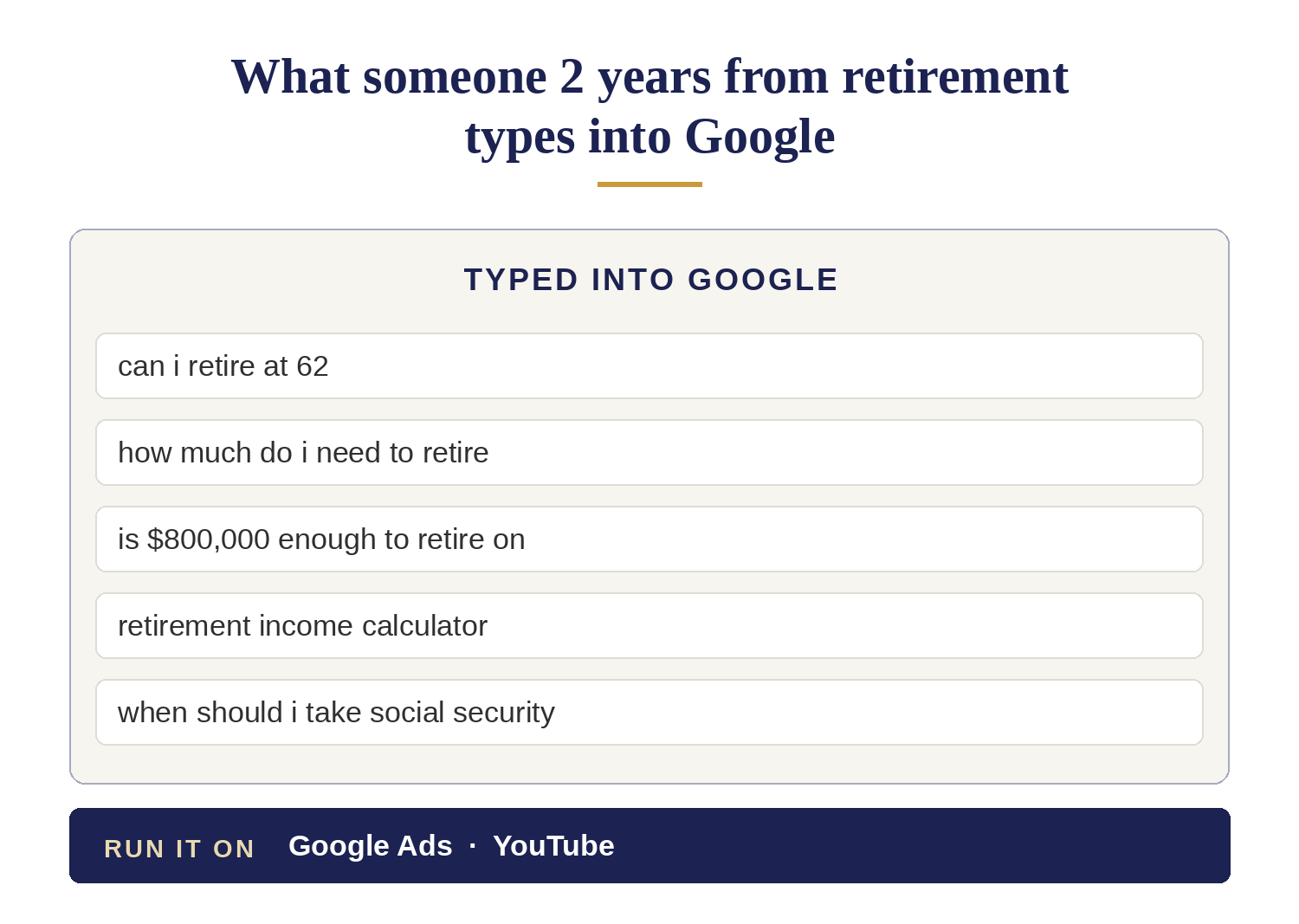
Decision 1 of 7 — Deciding when to retire: advertise about 2 years before they stop working, on Google and YouTube
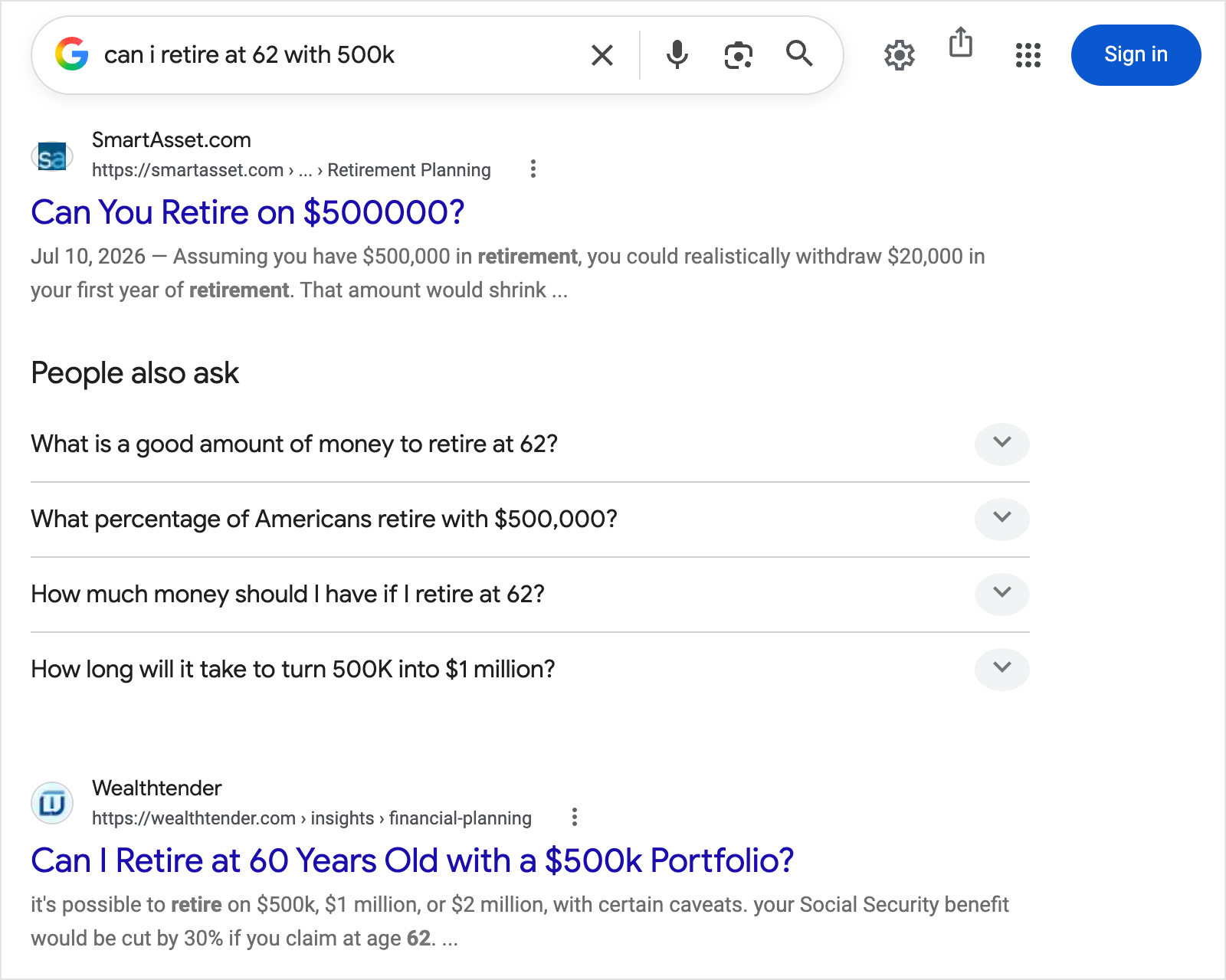
Real example: Google’s results for “can I retire at 62 with 500k” in September 2026 (AI Overview hidden to save space). The first result is a website that sells its visitors’ contact details to advisors; the second is an article site. No advisor appears.
When: about 2 years before they retire, people start checking whether they can afford to stop working.
Where: Google and YouTube, where they research without giving their name. They are not ready for a meeting, so a “book a meeting” button will not work yet.
Few advisors advertise on these searches. You compete with:
- Retirement calculators
- Websites that sell leads
- Websites that publish retirement articles
Most advisors skip people this early because they sign a year or more later. That means fewer advertisers bidding for each click.
Decision 2 of 7 — Moving their 401(k) after leaving their job: advertise in the weeks around their last day at work, on Google and LinkedIn
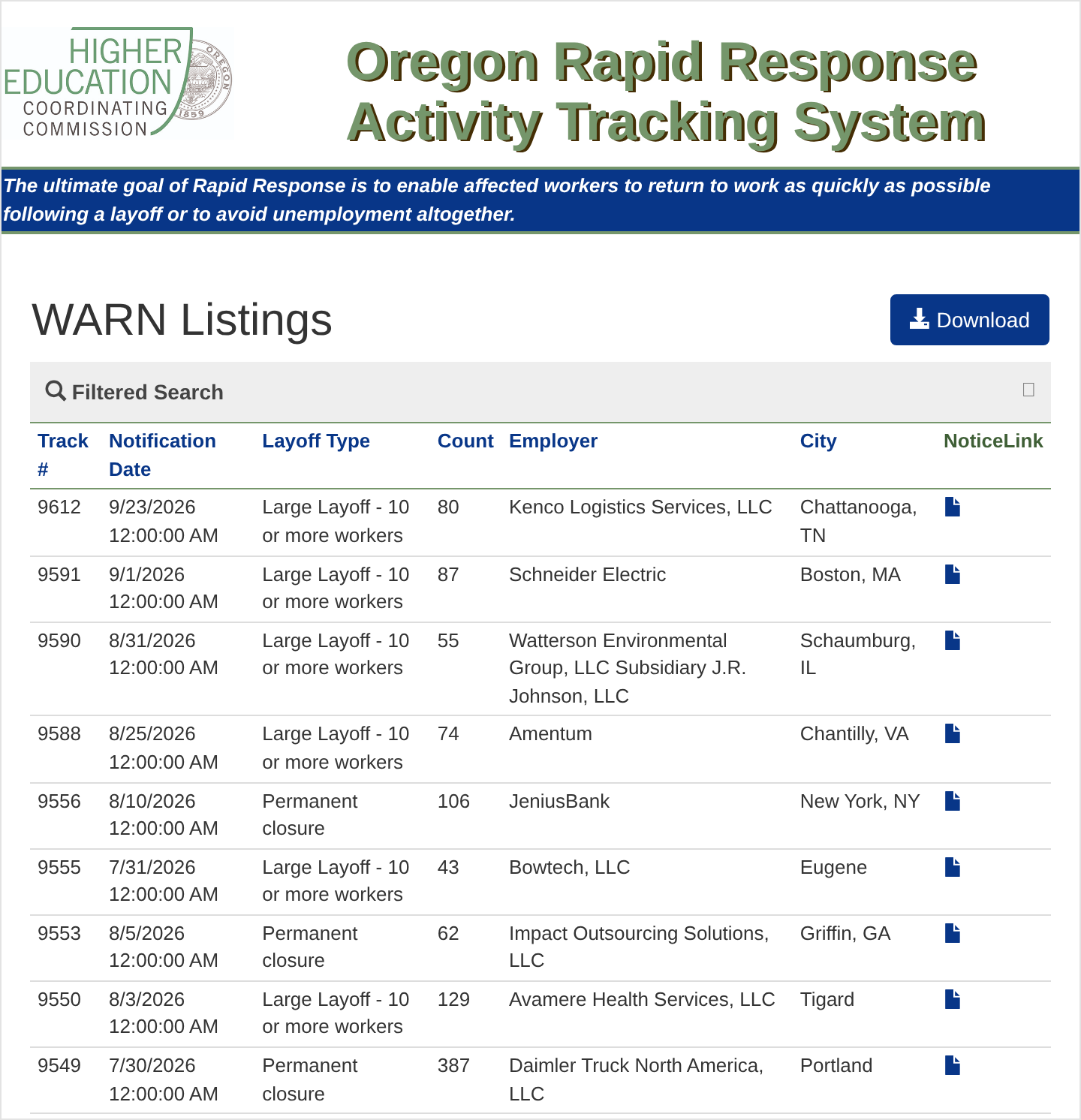
Real example: Oregon’s public WARN list on 24 September 2026. Every row is a group of employees who will face the same 401(k) decision in the same month — 387 people at Daimler Truck in Portland, one permanent closure, one notice date.
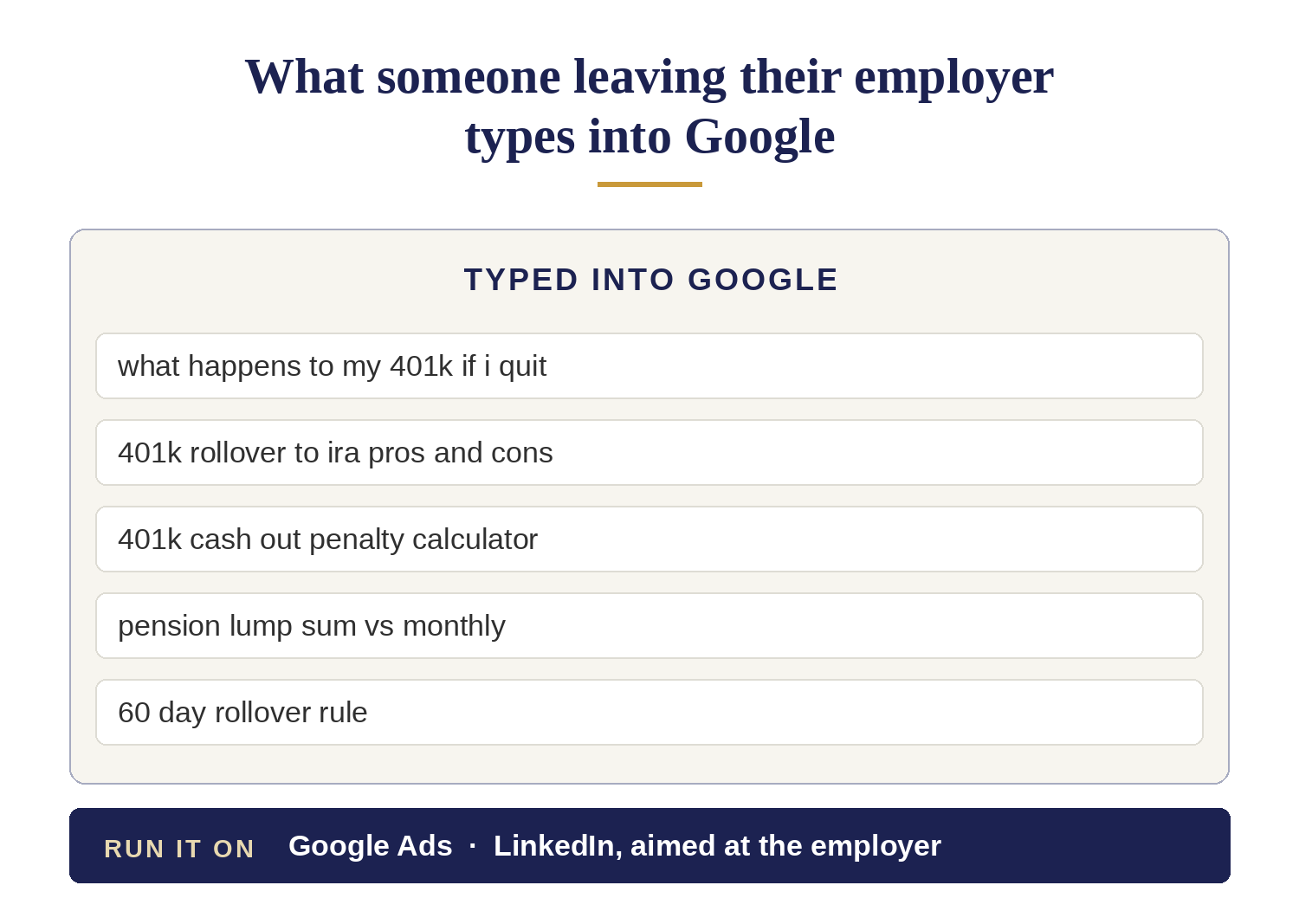
When: leaving a job means deciding where the whole 401(k) goes, usually within weeks.
Where: you can find these people in 2 ways.
- Layoffs are often announced. The employer must file a WARN notice with the state first.
- Each announcement covers a group of employees facing the same decision at the same time. Target that employer on LinkedIn the same week.
- They search Google. What they type shows exactly what is happening.
Large employers near you announce layoffs regularly. Run ads after each announcement instead of waiting for referrals.
Decision 3 of 7 — Signing up for Medicare: advertise in the months around their 65th birthday, on Facebook

Real example: A Facebook ad from Armstrong Advisory Group, running in September 2026: a free seminar on Social Security and Medicare, with a date, a hotel and registration required. Medicare and Social Security are the topics that get people to register.
When: people become eligible for Medicare at 65 and must enroll within a set window or pay a penalty.
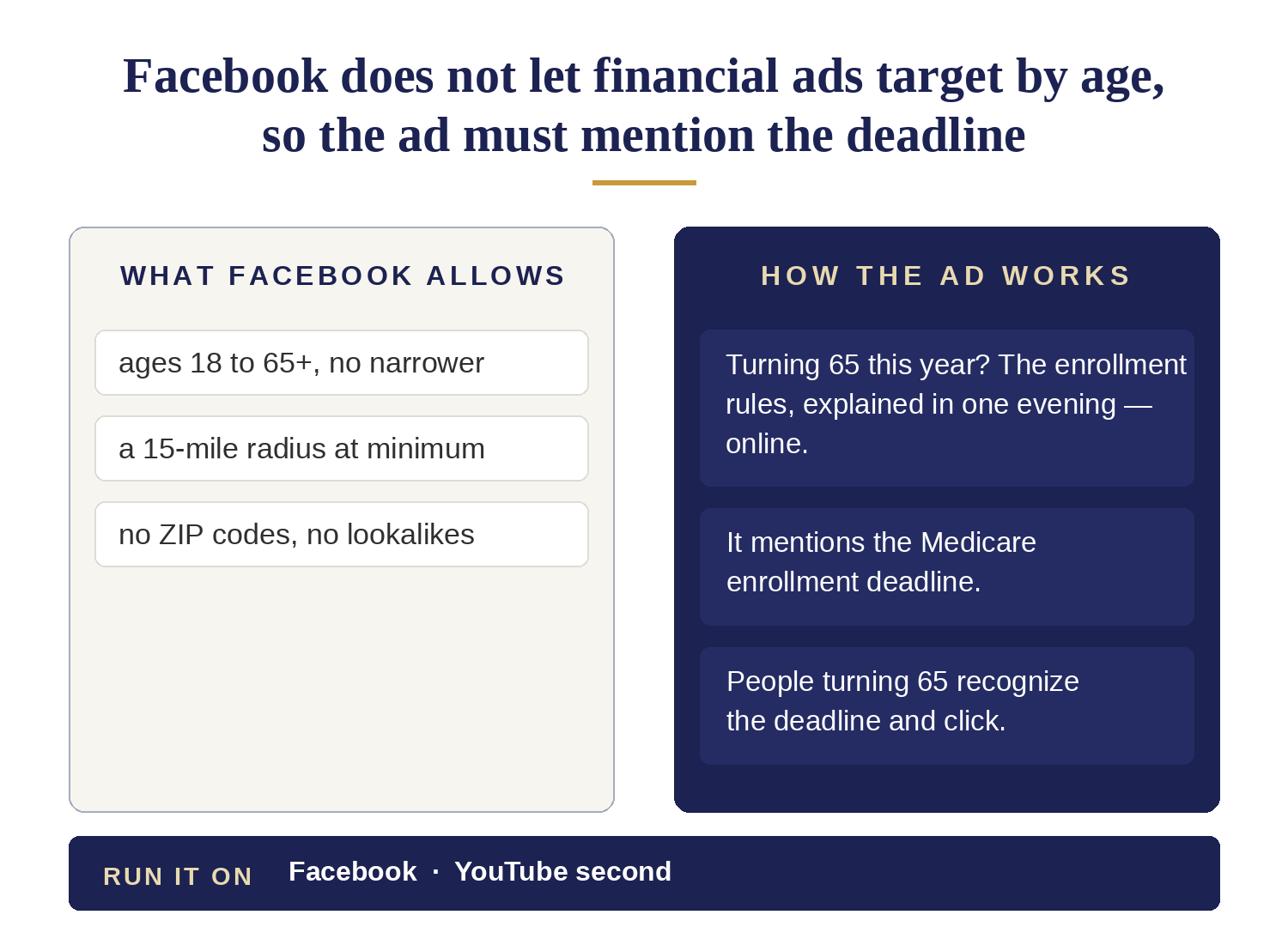
Where: Facebook. It does not let financial ads target by age, so the ad must mention the Medicare deadline. People turning 65 recognize it and click.
Decision 4 of 7 — Choosing when to start Social Security: advertise any time from age 62 to 70, on Google and Facebook
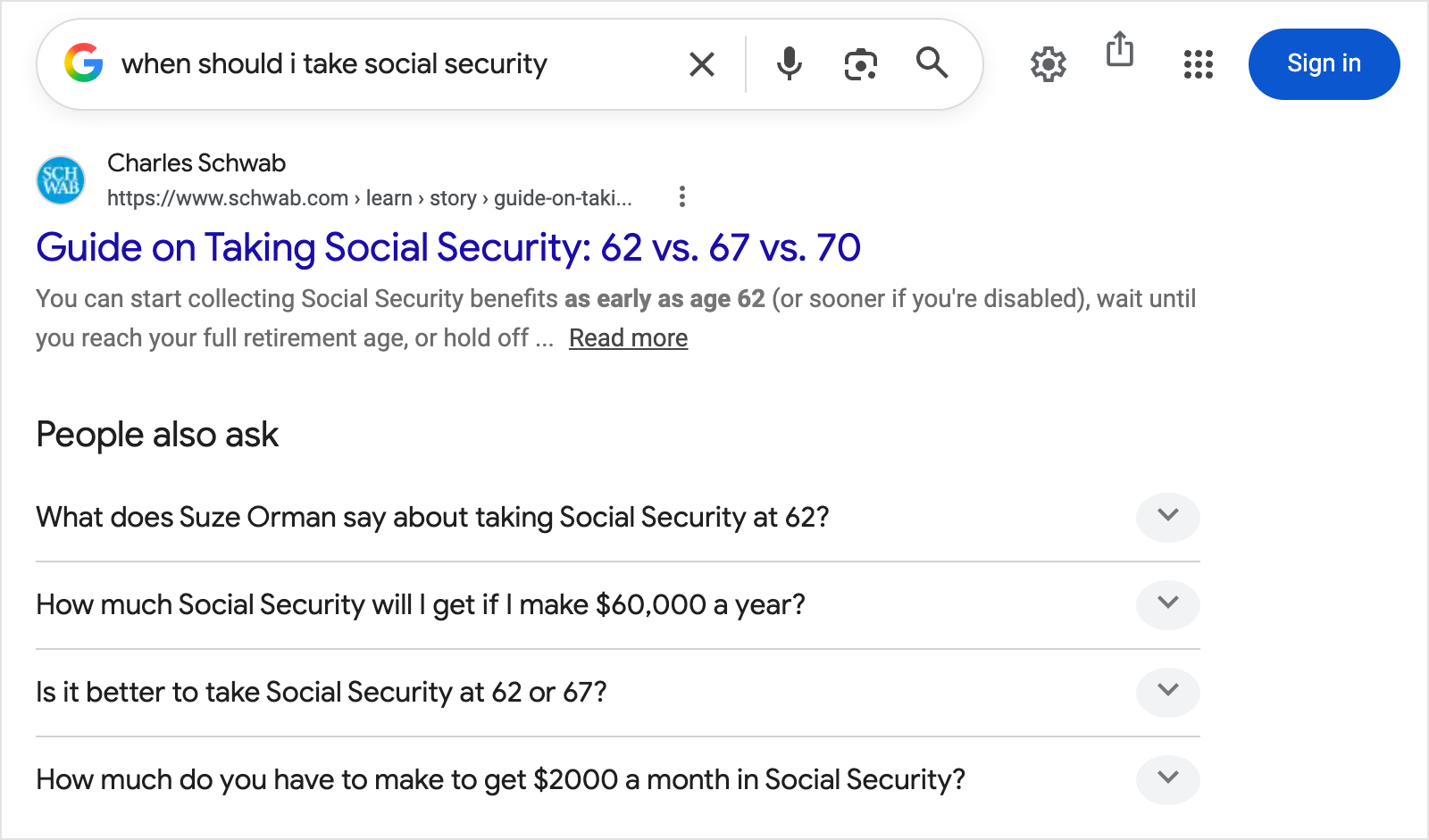
Real example: Google’s results for “when should I take social security” in September 2026 (AI Overview hidden to save space). The first answer is a brokerage’s guide, and the questions underneath — “Is it better to take Social Security at 62 or 67?” — are the same ones people type every month of the year.
When: benefits can be claimed as early as 62, at a reduced amount. Waiting until full retirement age — 67 for anyone born in 1960 or later — pays more, and waiting to 70 pays more still.
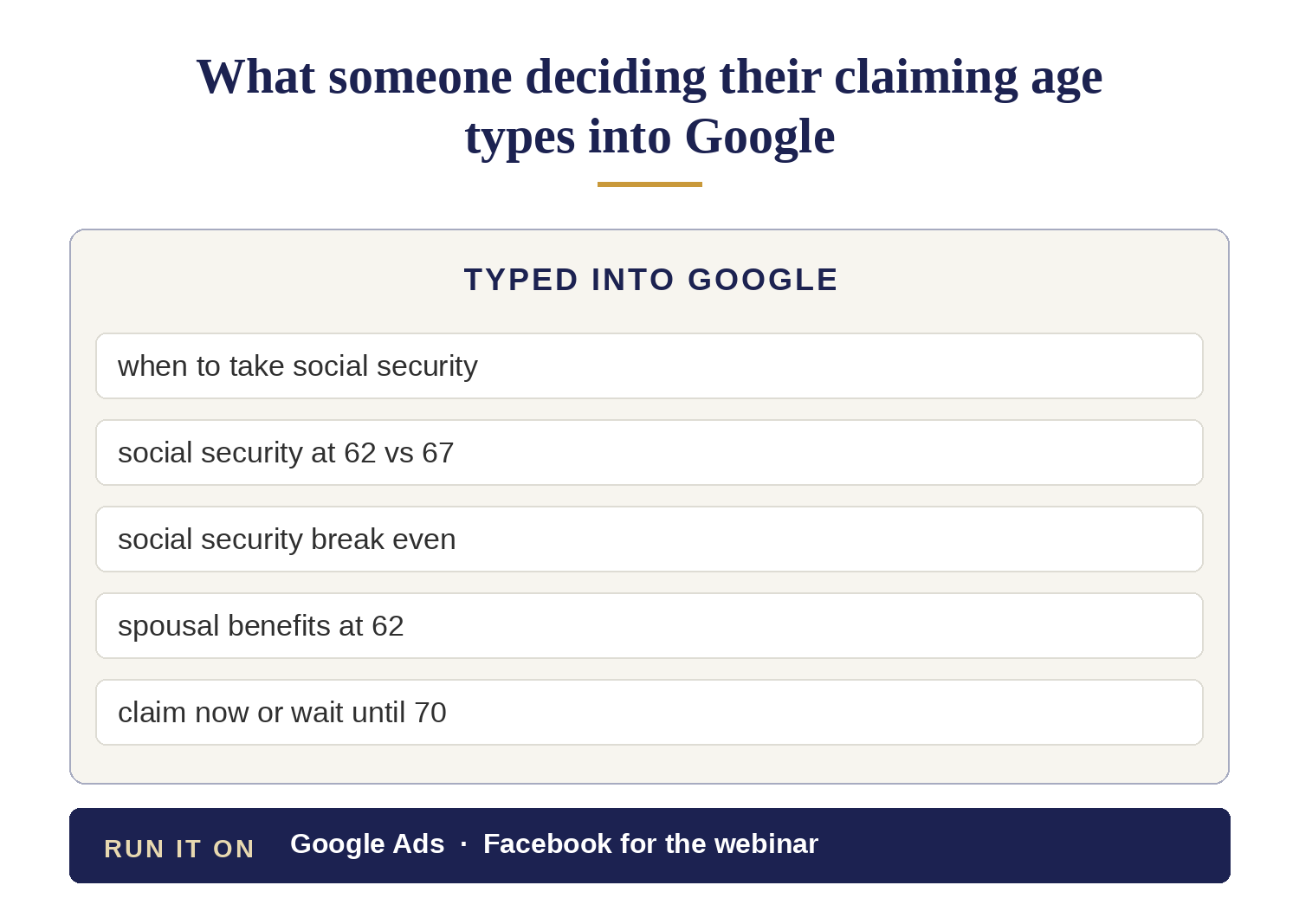
Where: Google, all year, because people decide at any age from 62 to 70. Add Facebook ads for a webinar.
Decision 5 of 7 — Lowering their taxes before required withdrawals start: advertise in the years between their last paycheck and age 73 or 75, on Facebook
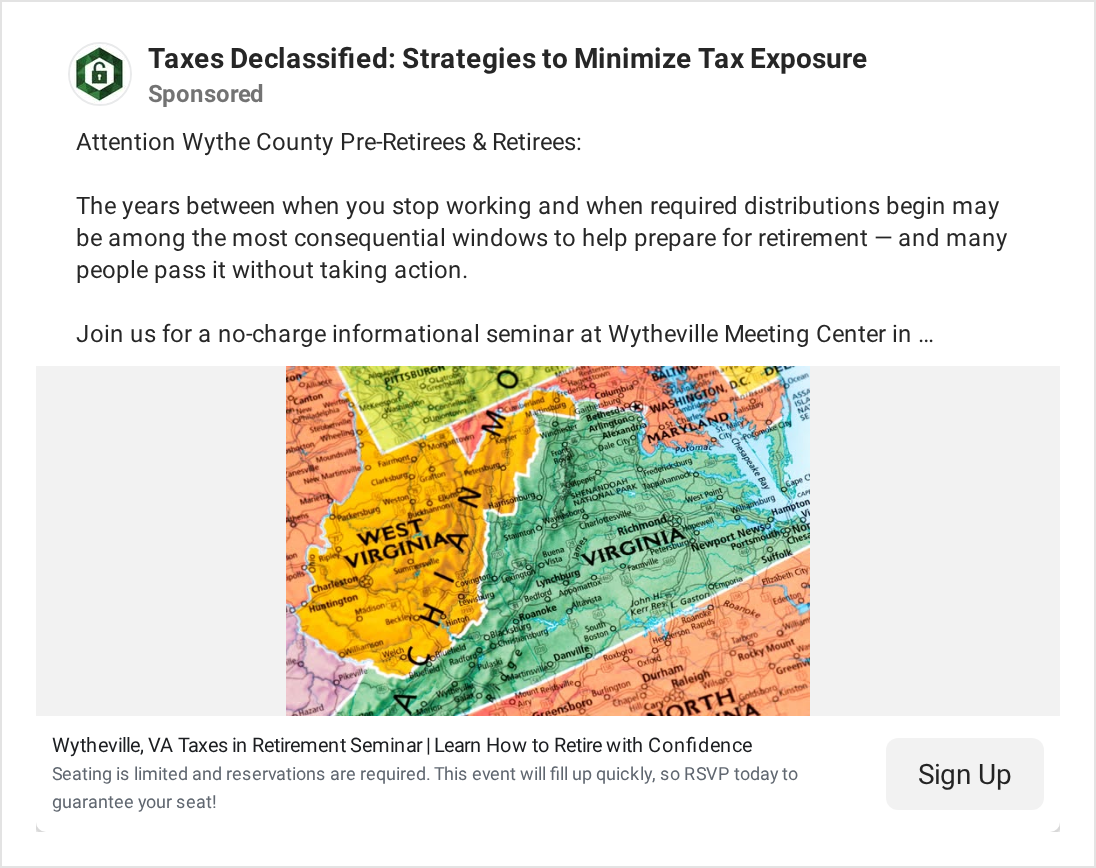
Real example: A Facebook ad from Taxes Declassified for a free seminar in Wytheville, Virginia, running in September 2026. The ad explains the tax window — the years between the last paycheck and the first required withdrawal — before it asks anyone to attend.
When: the low-tax window runs from the year the paychecks stop until required withdrawals begin: at 73, or 75 for anyone born in 1960 or later.
For someone retiring in their mid-60s that is roughly 8 to 10 years — the only years when they can largely choose how much taxable income they report.
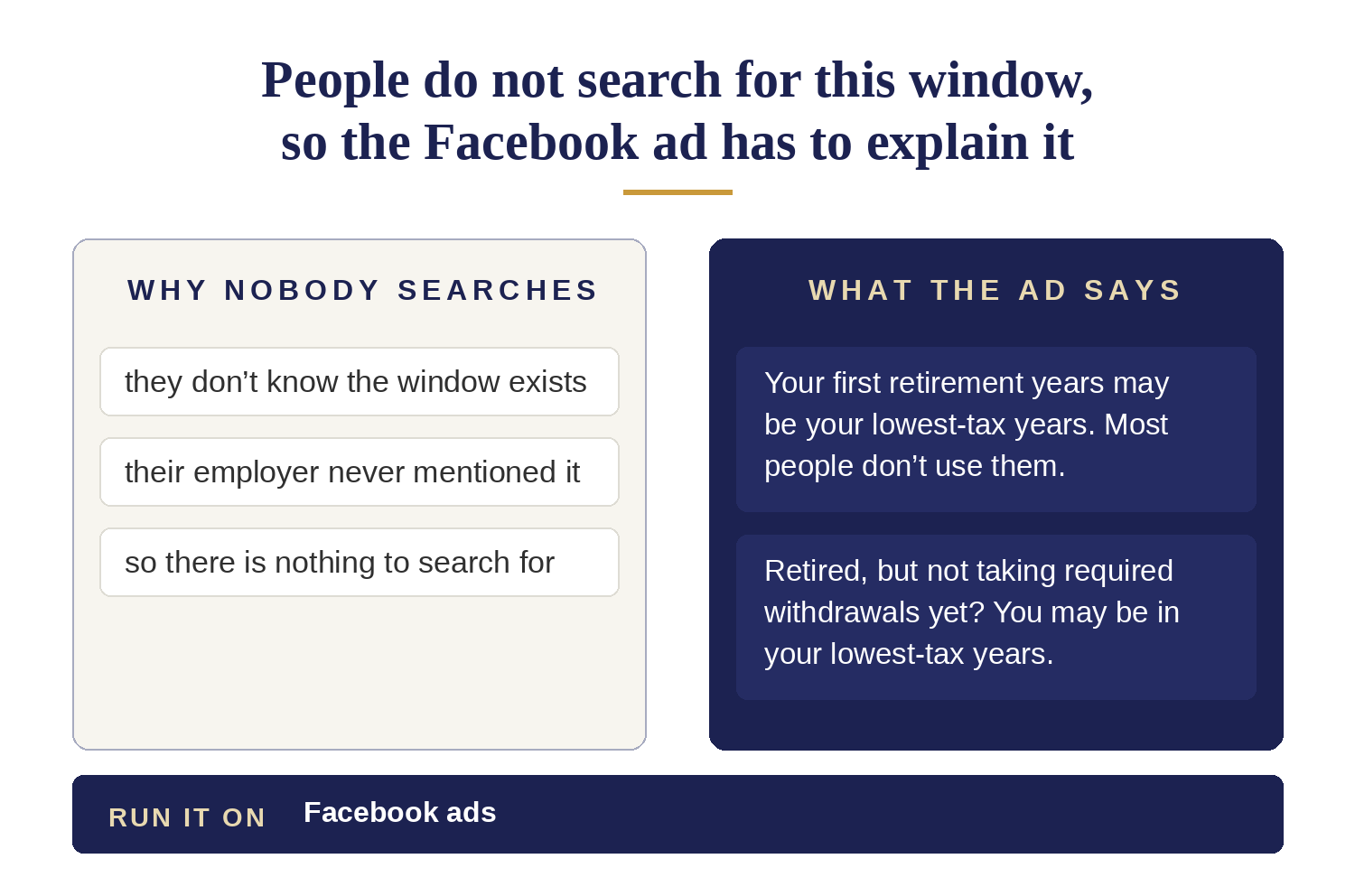
Where: Facebook, with an ad that explains the window. People do not search for something they do not know exists.
Plenty of firms advertise Roth conversions to people who already know the term. Almost nobody explains the window to people who have not heard of it.
Decision 6 of 7 — Taking the yearly withdrawals the IRS requires: advertise every year from age 73 or 75, on Google
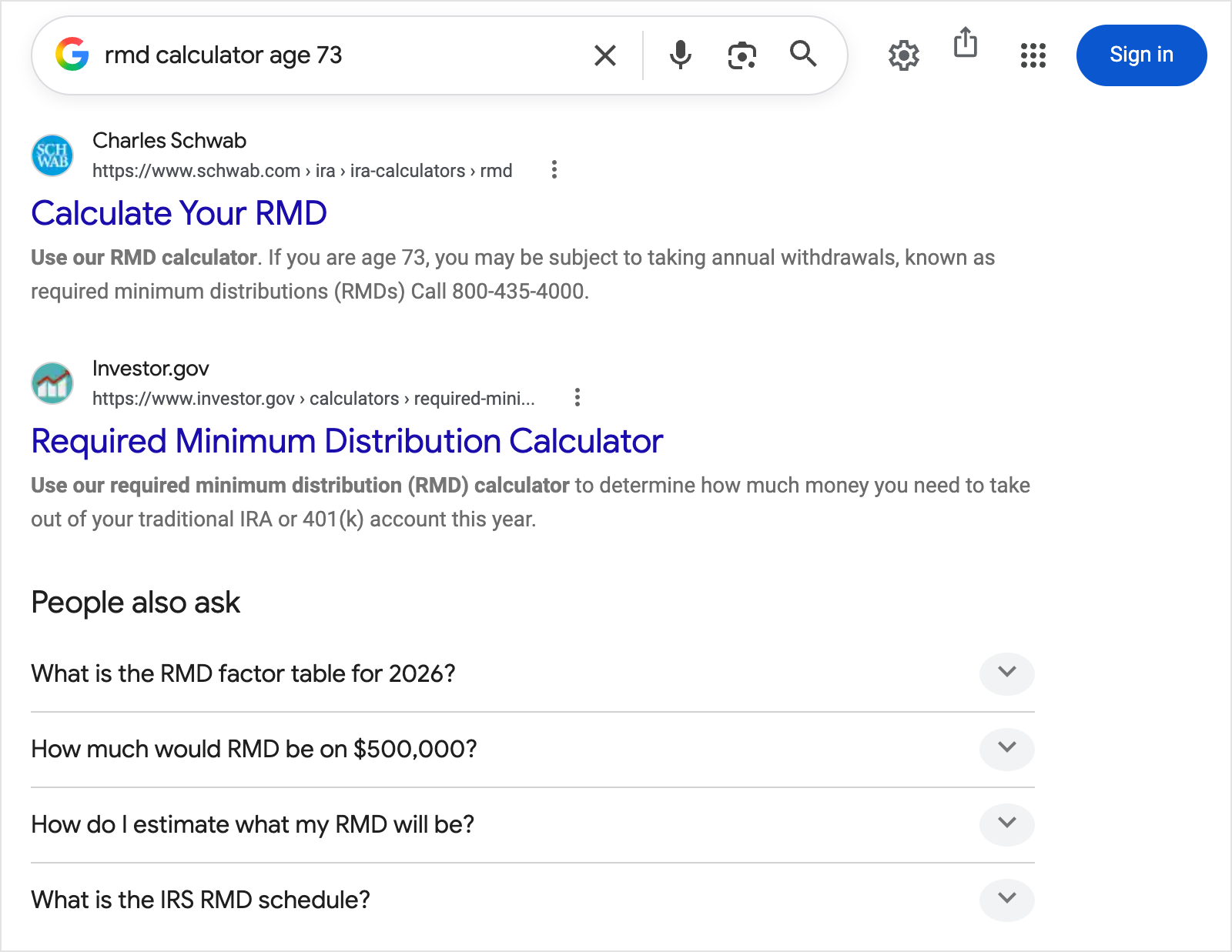
Real example: Google’s results for “rmd calculator age 73” in September 2026 (AI Overview hidden to save space). The first answers belong to Schwab and Investor.gov, and the questions underneath — “How much would RMD be on $500,000?” — show who is searching.
When: required minimum distributions start at 73 — 75 for anyone born in 1960 or later — and the amount is not optional.
Where: Google, when they search as the deadline gets close.
Decision 7 of 7 — Managing the money after a spouse dies: advertise in the first months after the death, on Google
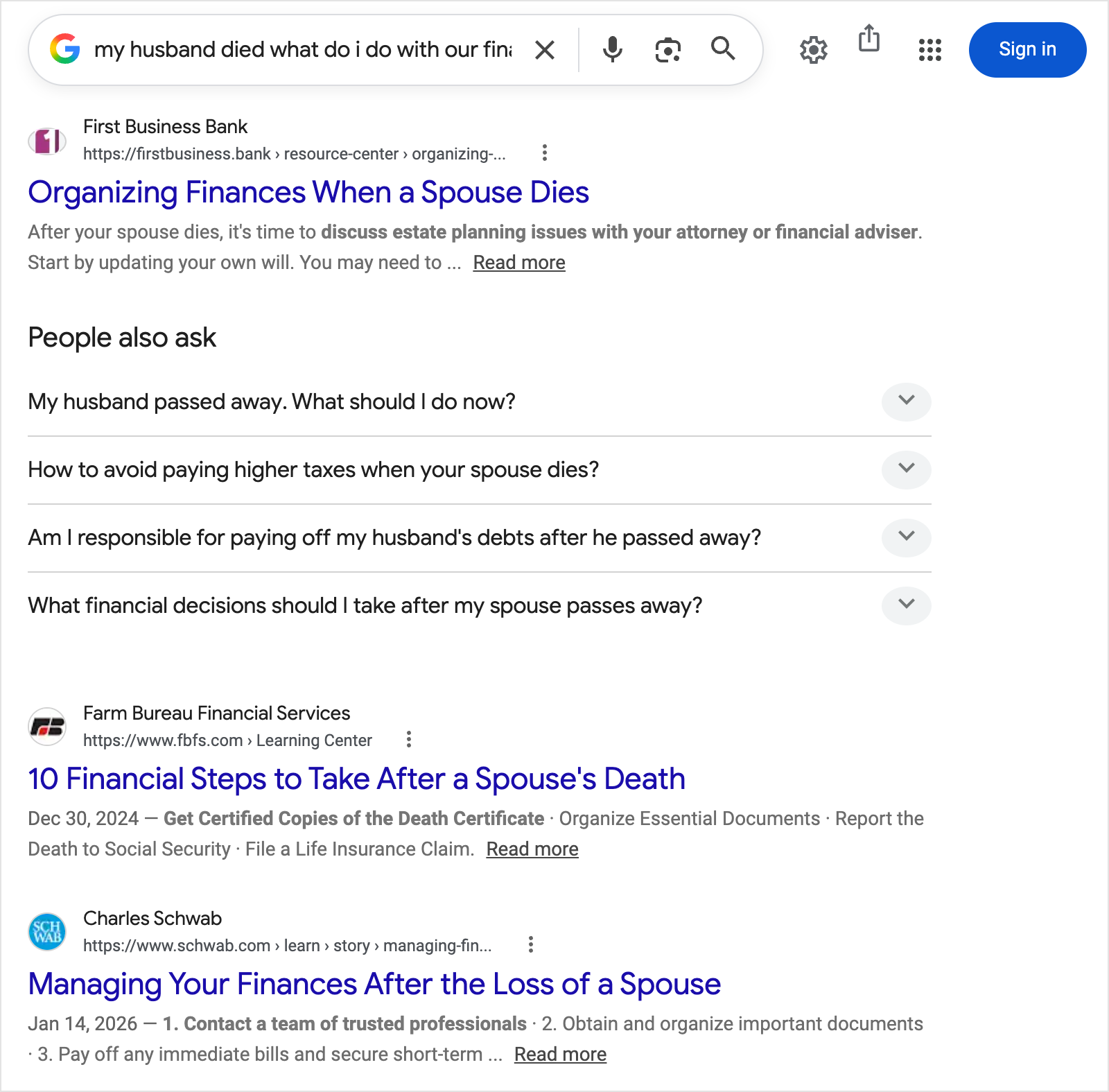
Real example: Google’s results for “my husband died, what do I do with our finances” in September 2026 (AI Overview hidden to save space). The questions underneath are the first-weeks questions, and the answers on the page come from a bank, an insurer and a brokerage — not an advisor.
When: after a spouse dies, the survivor faces many money decisions at once, often without having managed the money before.
Where: Google. They are searching for answers, so an ad that answers their question is welcome. For example: what do I do first with our joint accounts?
Expect the questions in the first weeks and the big decisions months later, once the estate settles.
What gets someone from your ad to a booked appointment, for each of the 7 decisions
Ads get someone to your website, or get you their email address. Neither is an appointment yet.
Each decision below uses some of these 6 steps:
- The page — where the ad sends them, answering one question and asking for one thing.
- The offer — what they get in exchange for their email address: an answer about their own situation. For example: can they retire on what they have?
- The emails — how you stay in touch with everyone who has not booked yet.
- The webinar or seminar — the first time they see a person instead of a page.
- The call — it starts with their question, not with your firm. For example: should I roll over my 401(k) now or wait?
- The wait — most people do nothing for months, and then book.
The decisions differ in which steps they use and how long people wait.
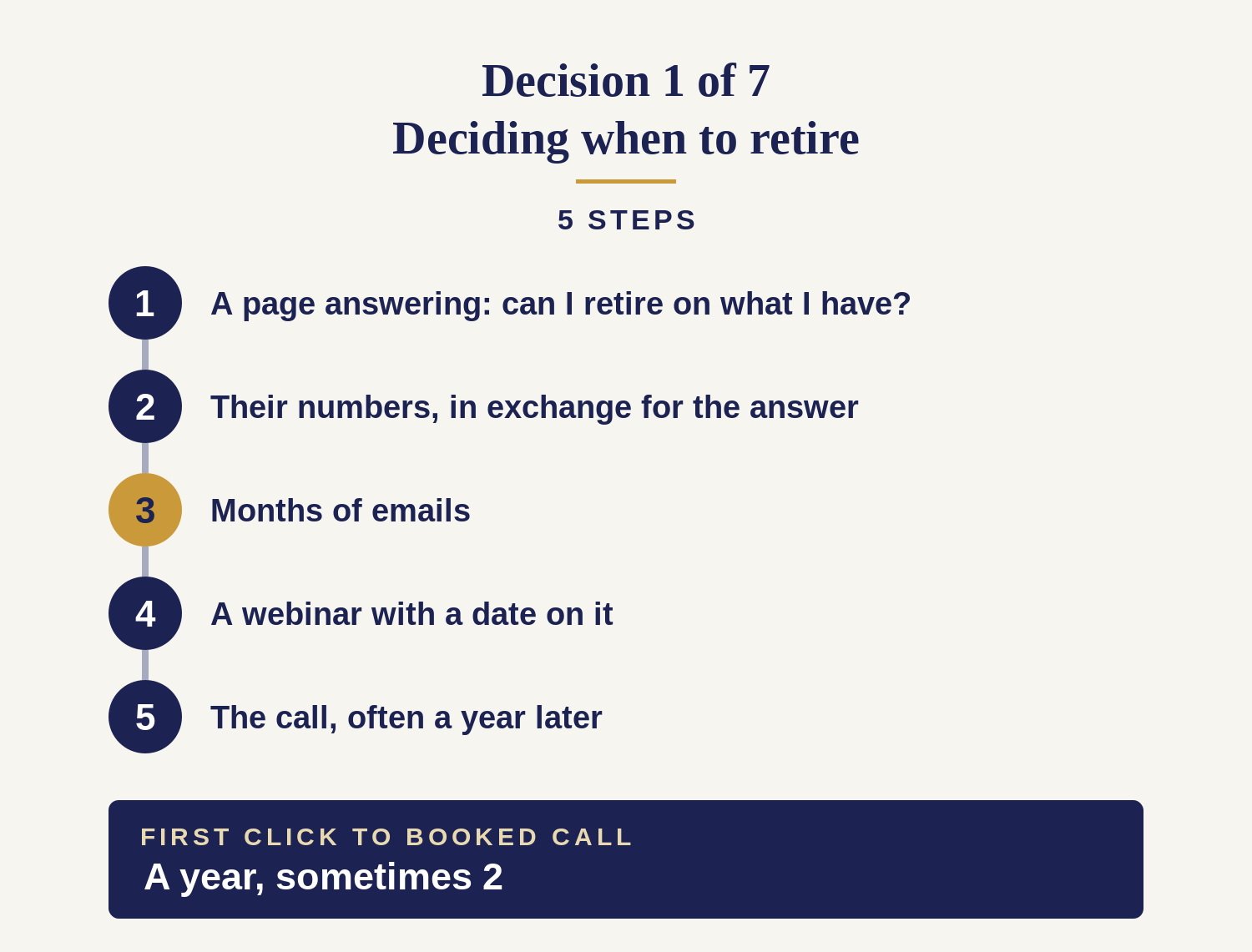
A rollover uses 3 steps in 2 weeks. Someone deciding when to retire uses 5 over a year or more.
Decision 1 of 7 — Deciding when to retire: answer “can I retire on what I have?” with their own numbers
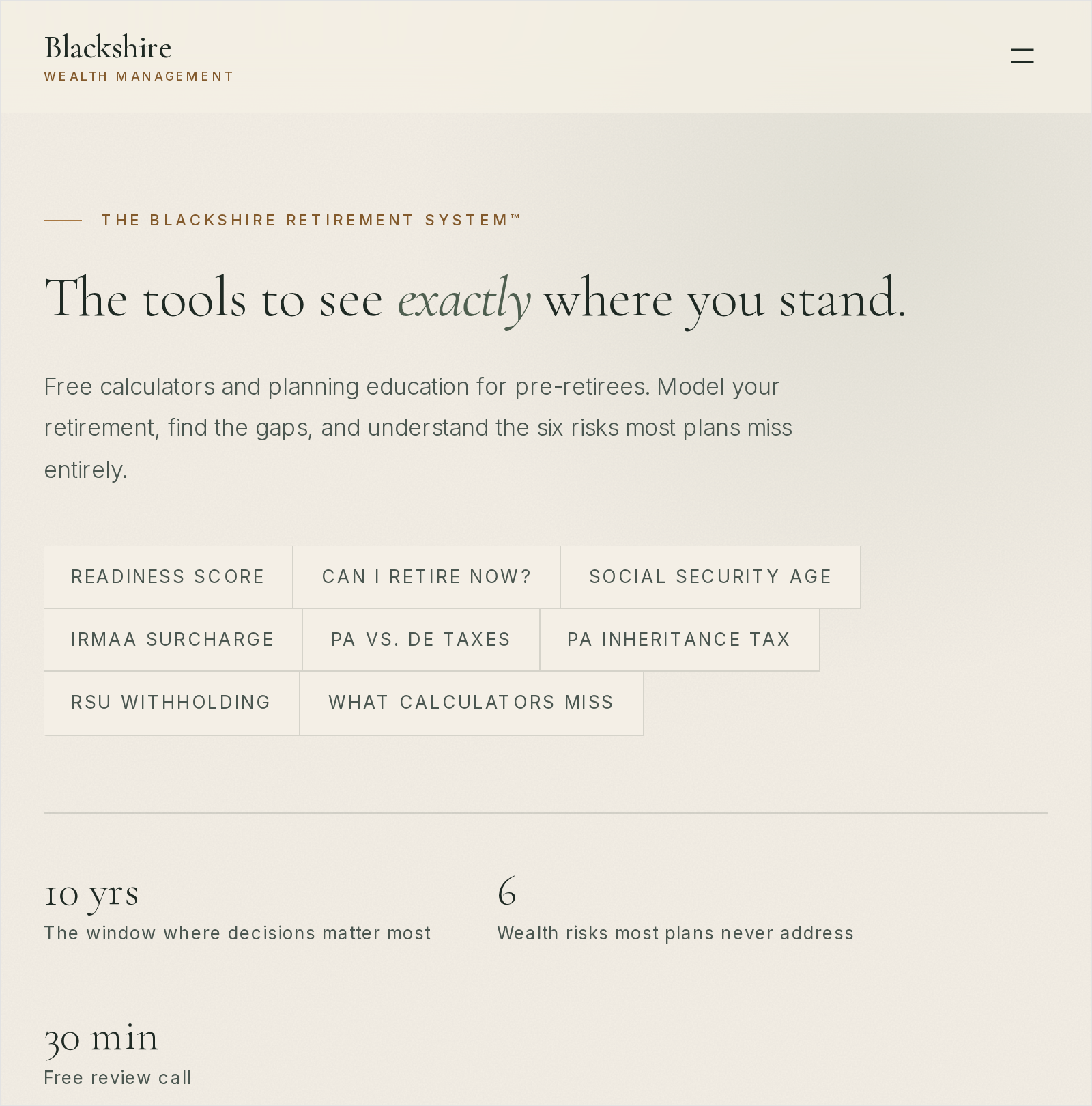
Real example: Blackshire Wealth Management’s page, captured September 2026: free calculators for pre-retirees — a readiness score, “Can I retire now?” — run on the visitor’s own numbers. A basic result is free; the full result comes by email, which is how they get the email address. The 30-minute call is listed last.
- A page that answers can I retire when I want to, on what I have. Their question, in their words. Not a page about your services.
- Their numbers, in exchange for the answer. They put in what they have and get back a real figure. Giving them that figure is how you get their email address.
- Months of emails. The same question answered again as their situation changes. This is the most important step.
- A webinar with a date on it. The first time they see a person instead of a page, usually months in, when the date is closer.
- The call. Often a year after step 1, sometimes 2 years.
What makes this one different: nothing is urgent. They are not ready to talk to an advisor, so every step has to work without a conversation.
Ask for a meeting at step 1 and they leave. Judge the campaign after 30 days and you will stop it a year before it produces a client.
Decision 2 of 7 — Moving their 401(k) after leaving their job: show the tax on each of their options, side by side
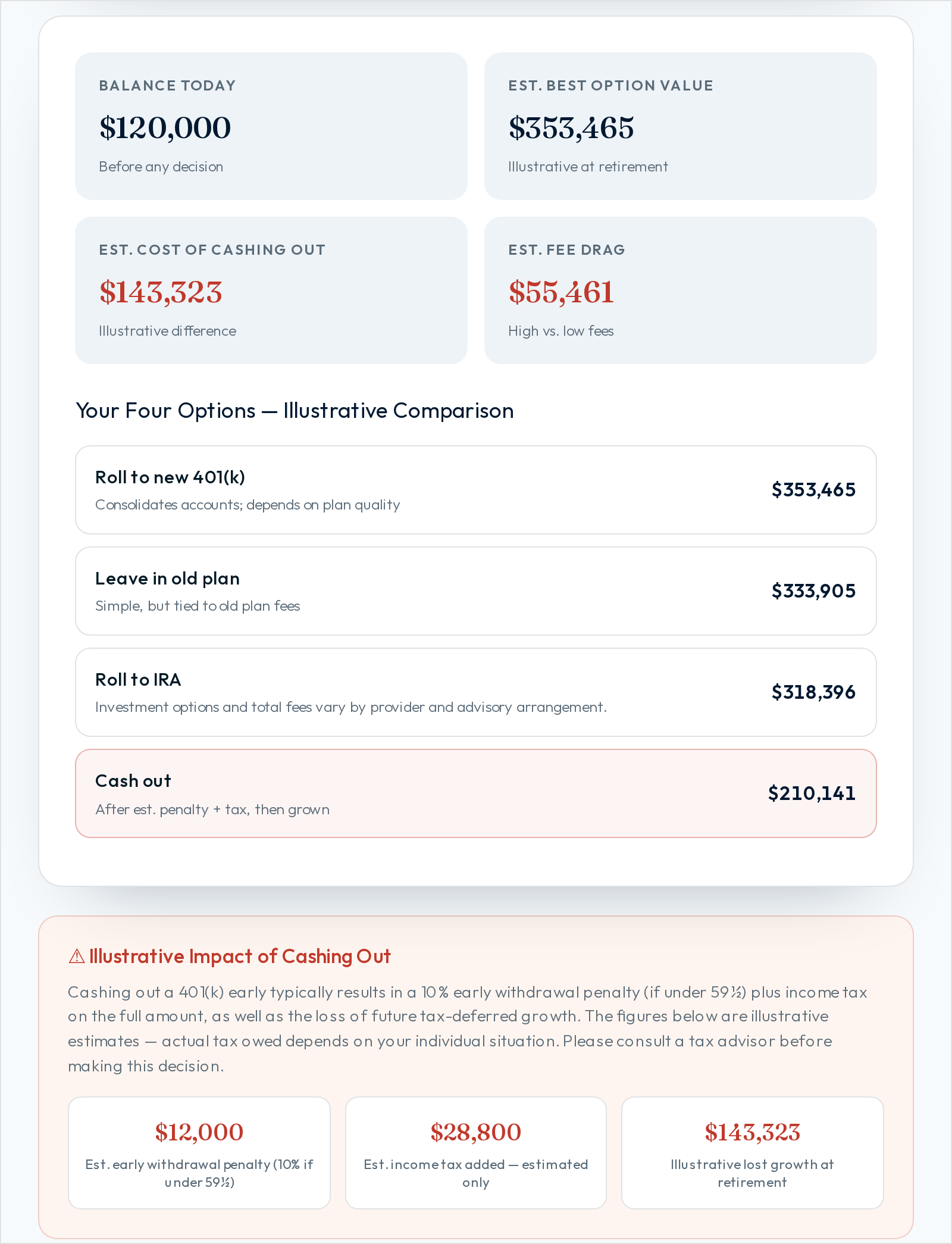
Real example: BlueLine Advisors’ rollover decision tool, captured September 2026: the visitor enters a balance, age and income, and the options come back in dollars — cashing out costs $12,000 in penalty and $28,800 in tax on this example. “Schedule a Call” sits in the header.
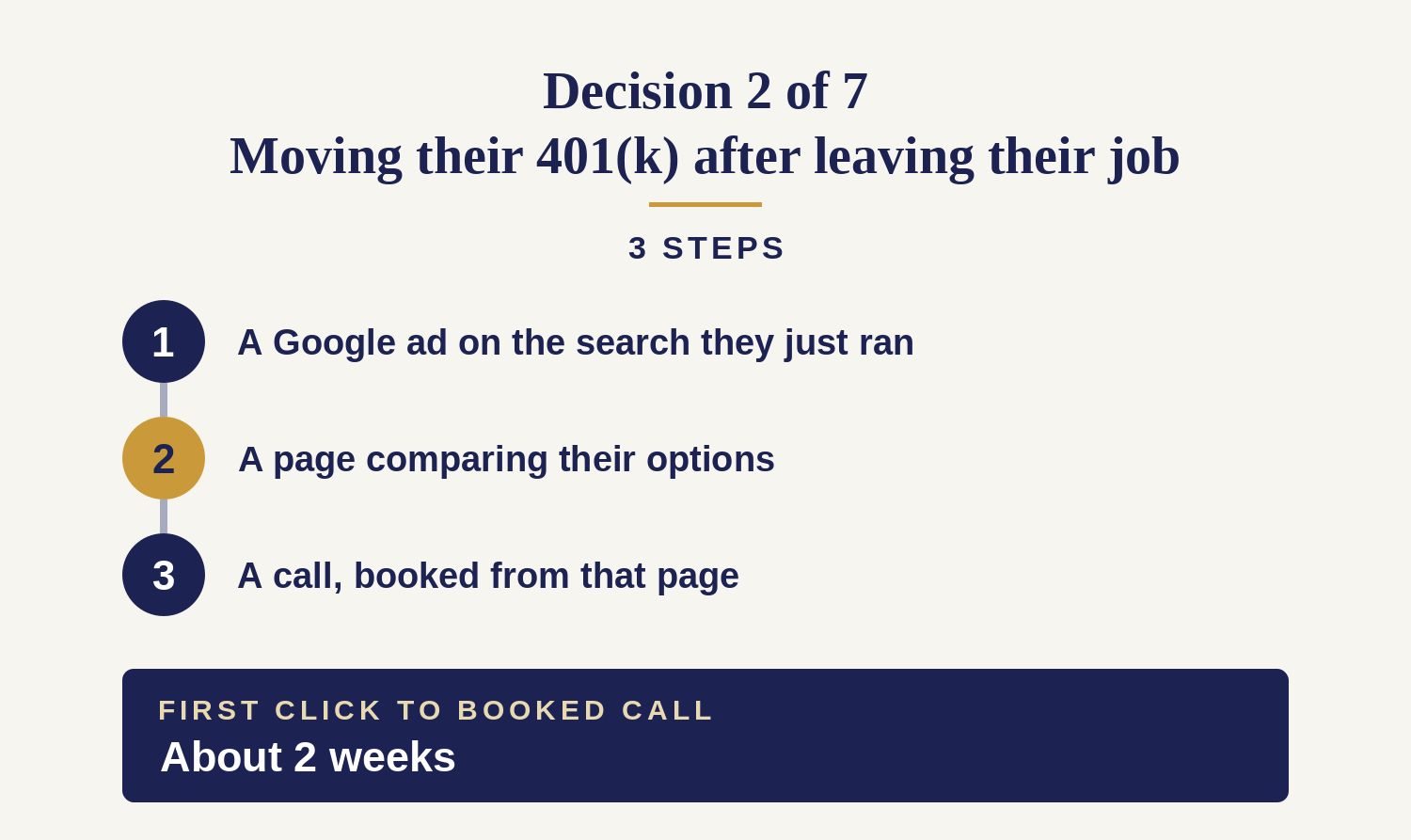
- The Google ad, on the search they just ran. They typed something like what happens to my 401k if I quit. The ad answers that, not “retirement planning services”.
- A page comparing their options, with the tax consequence of each: leave it in the old plan, move it to an IRA, take it in cash. If they have a pension, also compare a lump sum with monthly payments.
- A call, booked from that page. No guide, no email sequence, no webinar. The decision is made within weeks.
What makes this one different: they are not deciding whether to trust an advisor. They are deciding where a large balance goes on a deadline, and the first firm to answer that question gets the meeting.
That is why a page with only a booking link loses to the plan provider’s own rollover form.
Decision 3 of 7 — Signing up for Medicare: explain their Medicare choice and the penalty for missing the deadline
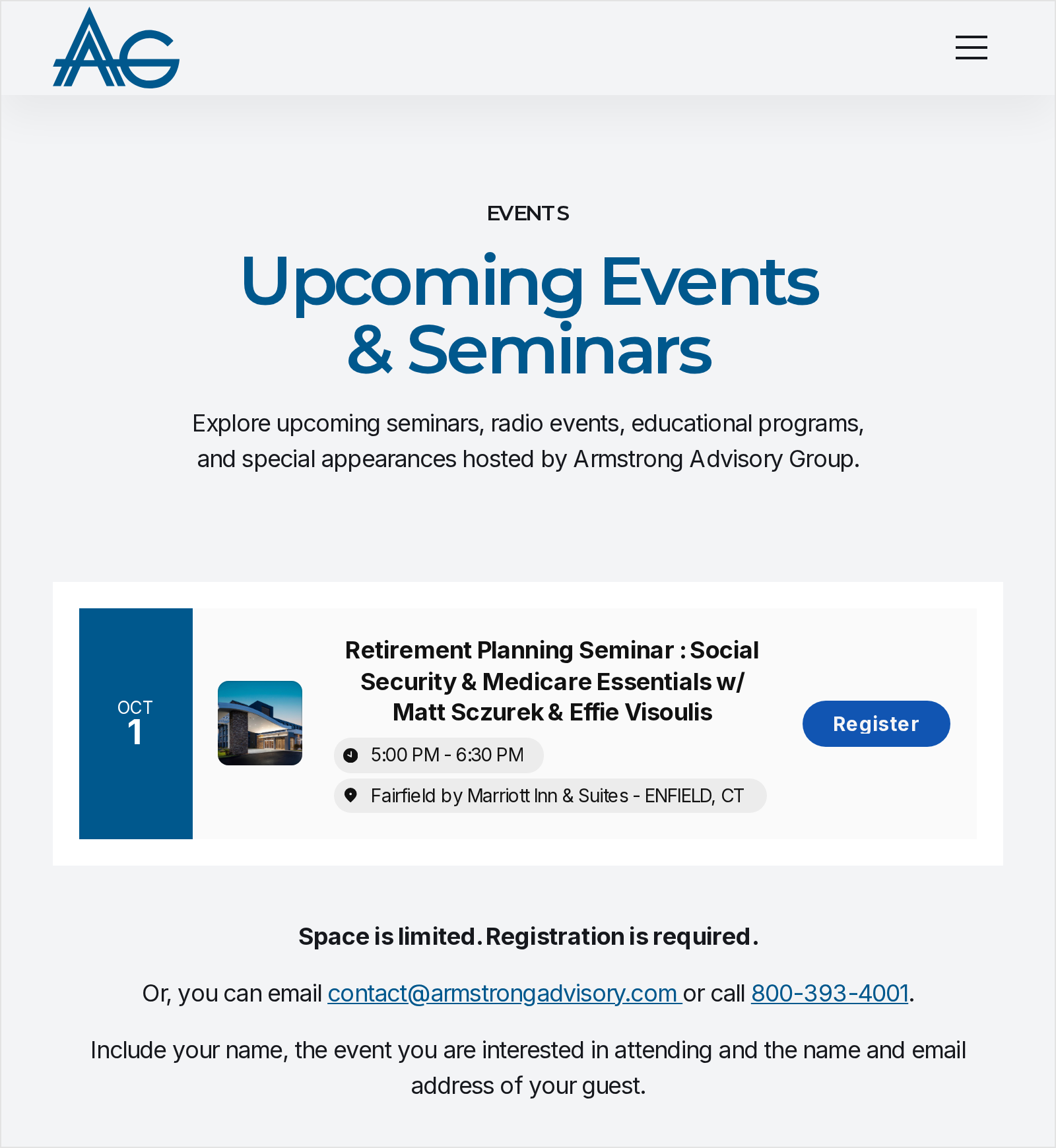
Real example: The registration page behind Armstrong Advisory Group’s Facebook ad, captured September 2026: one date, one hotel, a Register button, and “Space is limited. Registration is required.” The free seat is the whole offer.
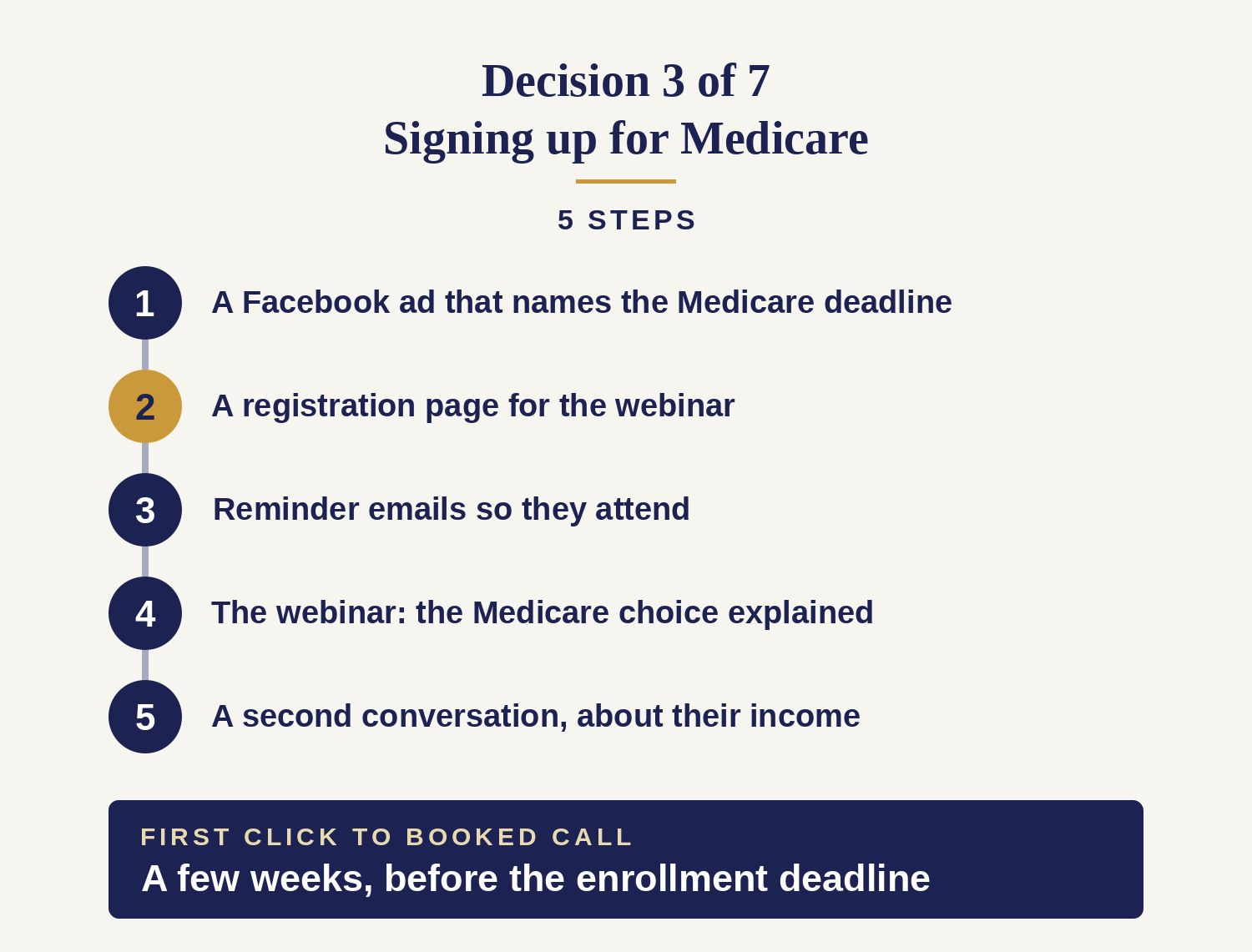
- A Facebook ad that names the Medicare deadline. The deadline was set by the government, not by your ad, which is why people who ignore other financial ads respond to it.
- A registration page. Here the webinar is the first thing you offer, not a later step.
- Reminder emails, because registering is not attending. On average, only about half of the people who register for a webinar show up.
- The webinar itself: the Medicare choice and its late penalty, with the real costs on screen.
- A second conversation, offered at the end. Someone sorting out Medicare usually also needs help with their retirement income.
What makes this one different: the webinar is the offer, not a later step.
Most people came for Medicare only. The second conversation, about income, is where the clients come from.
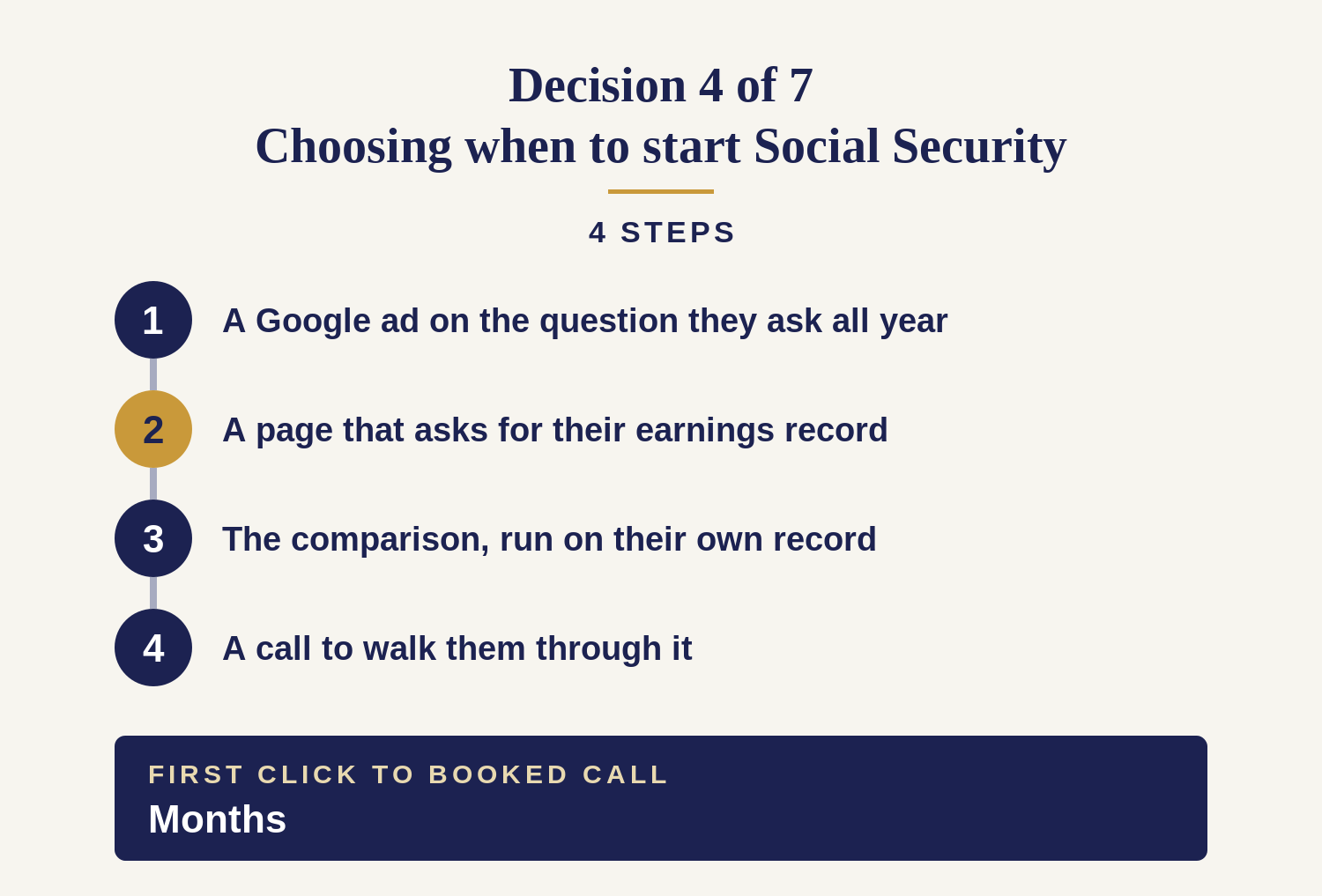
Decision 4 of 7 — Choosing when to start Social Security: show their benefit at 62, 67 and 70, from their own earnings record
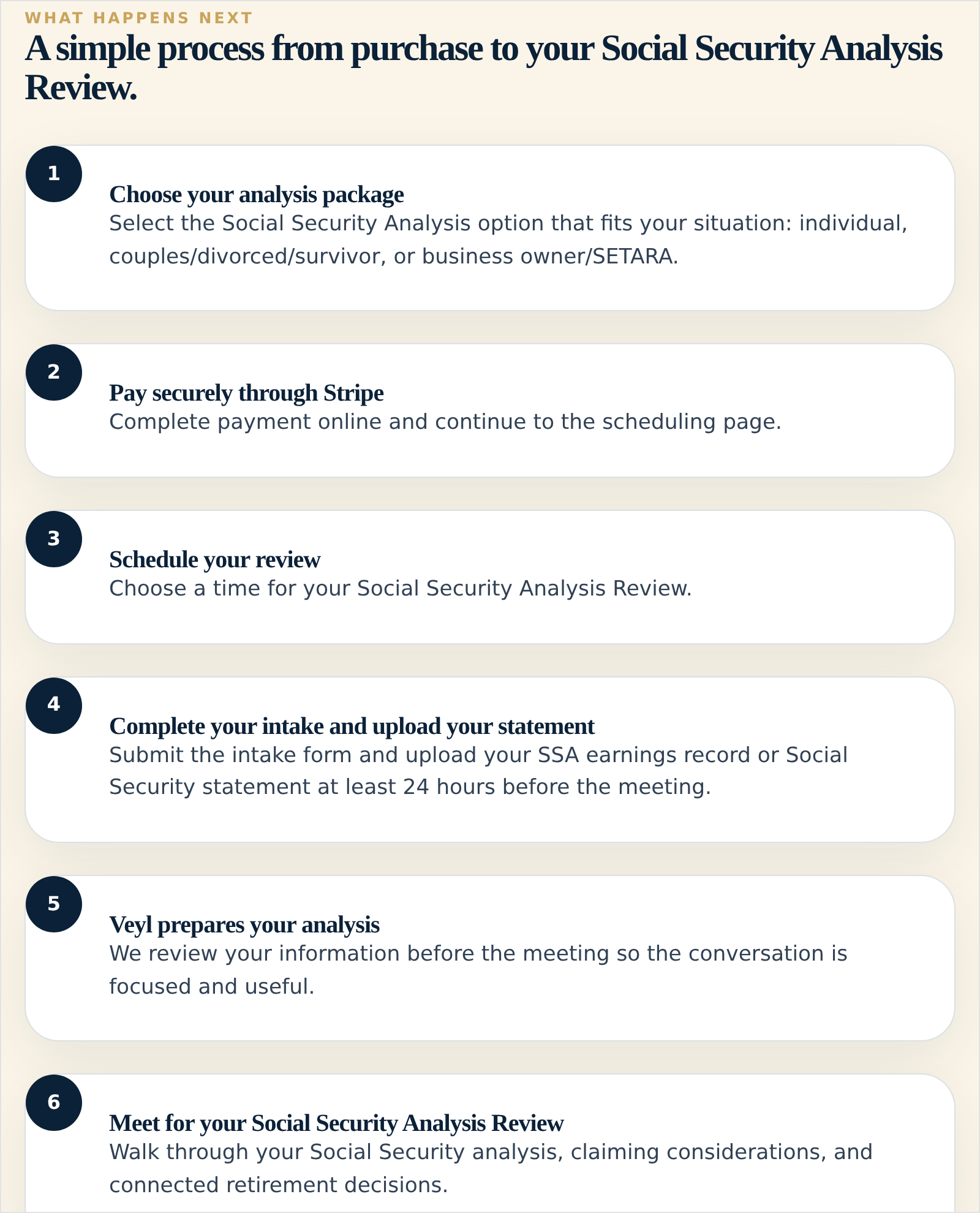
Real example: Veyl Advisors’ page, captured September 2026 — the only page we found that asks for the earnings record before the meeting (step 4), runs the analysis on it (step 5) and only then books the walk-through (step 6). This firm charges for it, at step 2. The free version is what you would build.
- A Google ad on the question they ask all year round: when should I take Social Security? Someone is always deciding.
- A page that asks for their earnings record. They share it because the comparison cannot be done without it.
- The comparison, run on their own record. What claiming at 62, at full retirement age and at 70 each pays them over a lifetime.
- A call to walk them through it. The numbers raise questions they need an advisor to answer, which gets you the meeting.
What makes this one different: you cannot run the comparison until they share their record, and asking for it also gets you their email address.
A generic claiming-age chart gets you neither. They can find one anywhere, and it says nothing about them.
Decision 5 of 7 — Lowering their taxes before required withdrawals start: show the tax their low-tax years could save them

Real example: Blue Ridge Wealth Planners’ page, captured September 2026, for people with a $1 million-plus IRA. It explains the problem before it asks for anything: the IRA is “a tax problem”, and the guide costs a name, a phone number and an email address.
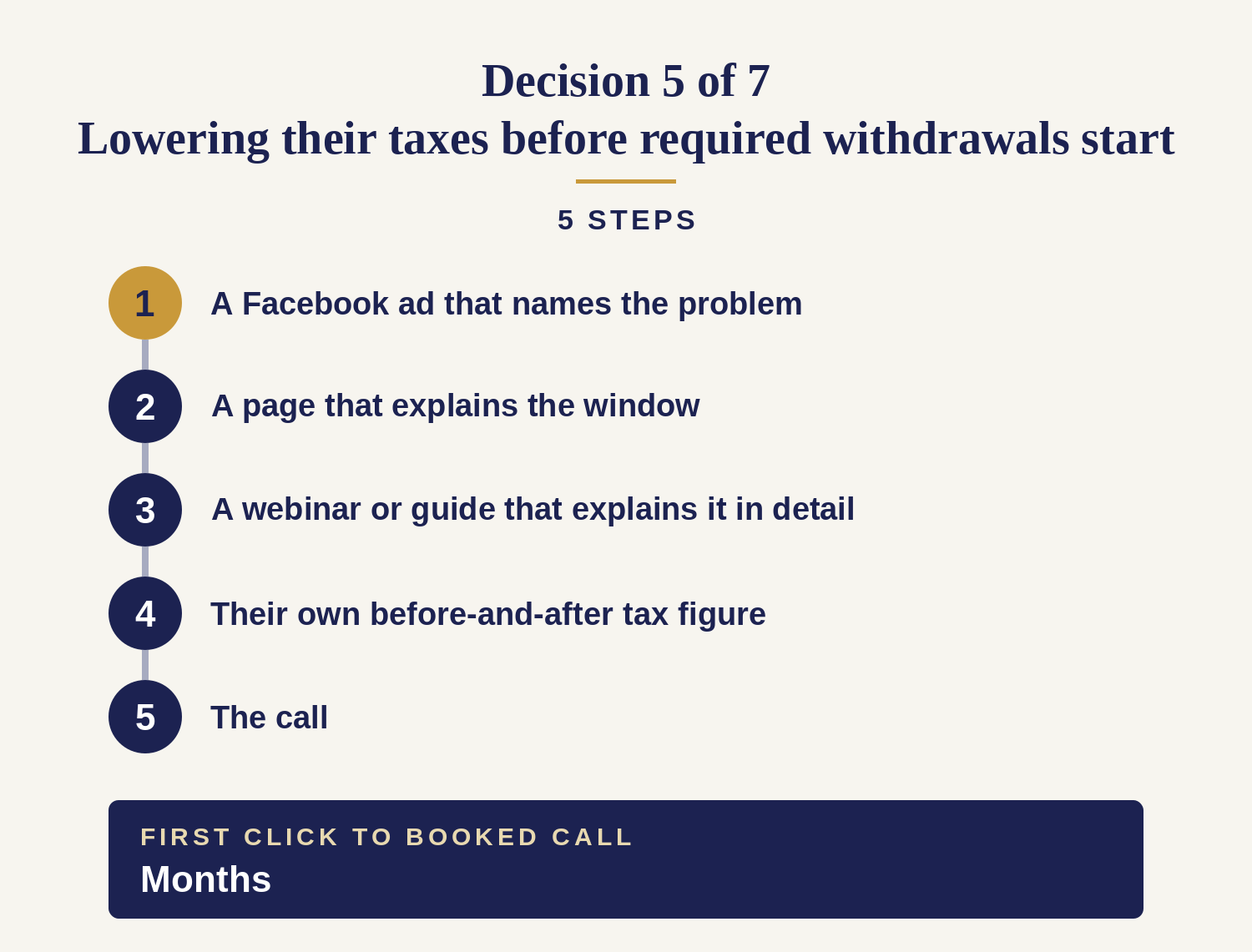
- A Facebook ad that names the problem. The solution has a name people search — Roth conversion — but nobody searches for the window, because nobody knows it exists. Something like: your first retirement years may be your lowest-tax years.
- A page that explains the window. Not a services page. The years between the last paycheck and required withdrawals, and why they are different.
- A webinar or guide that explains it in detail. This decision needs more explaining than any of the other 6, and the ad can only introduce it.
- Their own before-and-after figure. The tax paid across those years if nothing changes, next to what using the low years would save.
- The call. By now they understand the window, which makes booking easier.
What makes this one different: people do not know they have this decision. You have to explain it before you can offer anything.
So the ad should not lead with “Roth conversion”. The term means nothing to someone who has not heard of the window.
Decision 6 of 7 — Taking the yearly withdrawals the IRS requires: tell them how much they must withdraw, and by when
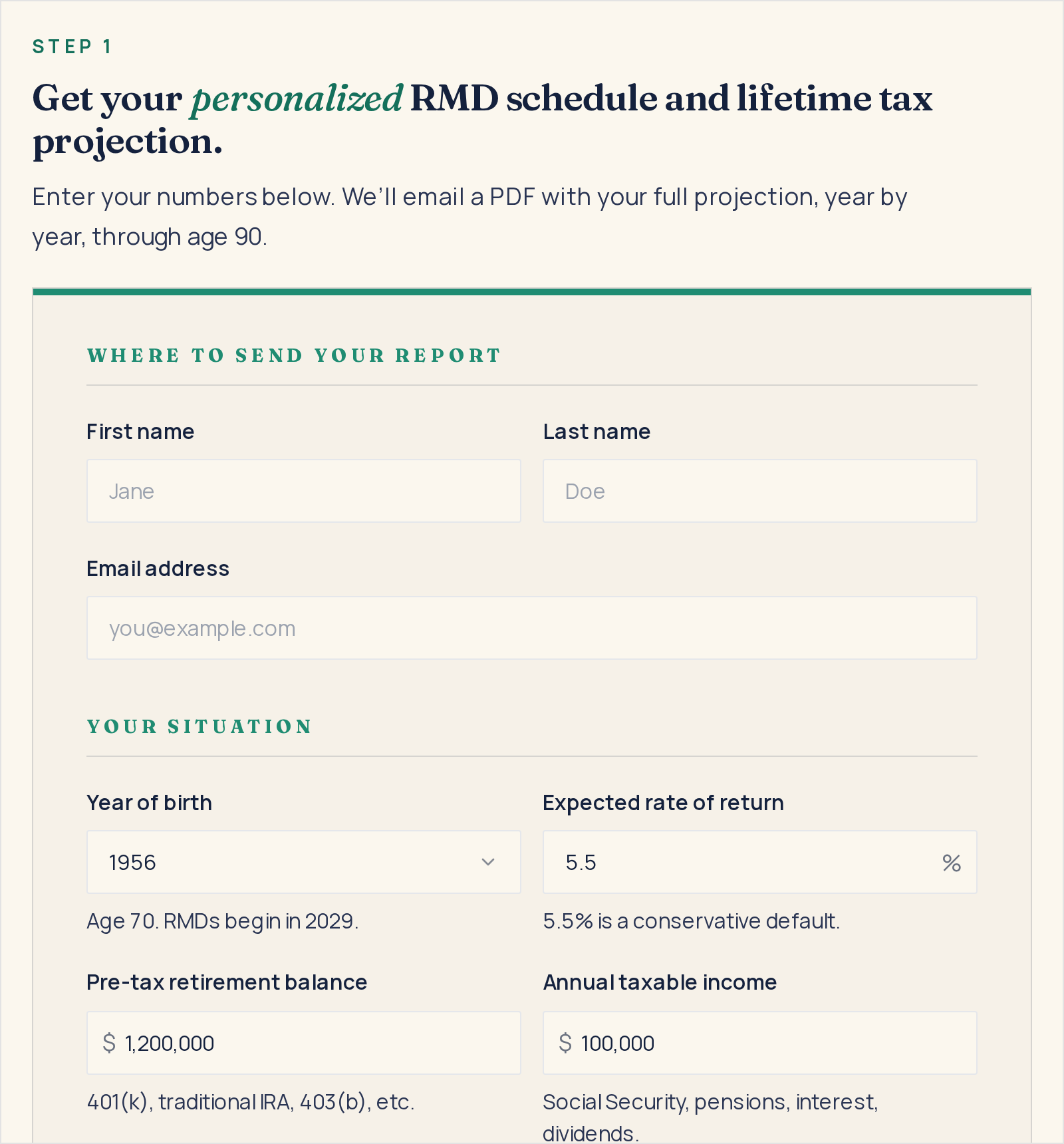
Real example: Q3 Advisors’ RMD calculator, captured September 2026, built for IRAs over $1 million: year of birth, balance and income in, a year-by-year withdrawal and tax projection out — sent as a PDF to the email address the visitor enters first.
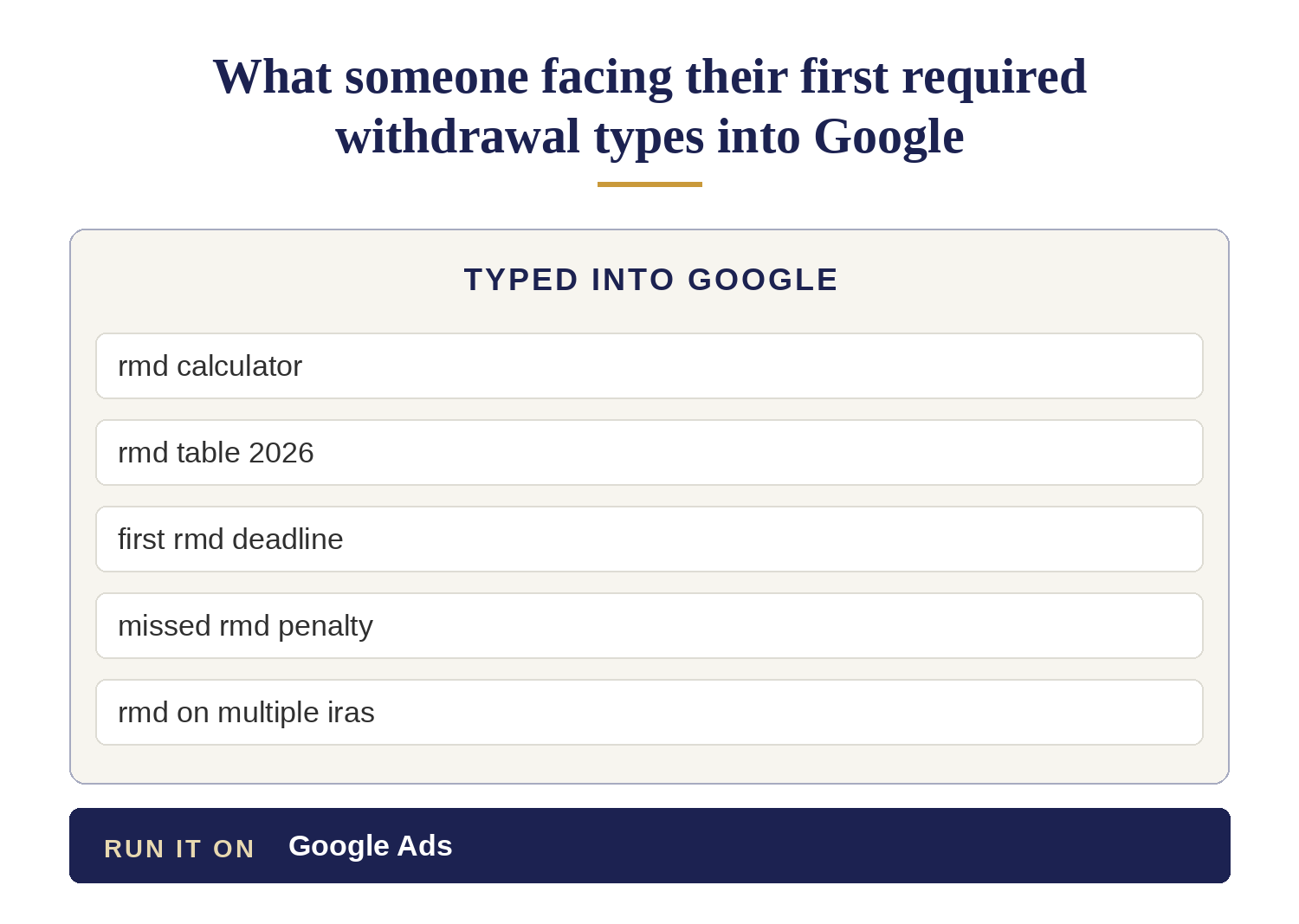
- A Google search run as the deadline gets close. Sometimes with the age in it — rmd calculator age 73 — which tells you exactly who is typing.
- A page that answers the immediate question (how much must I withdraw, and by when?) and works out their own figure. They enter their birth year and balance and get the amount, the deadline and the cost of missing it. That figure earns the email address.
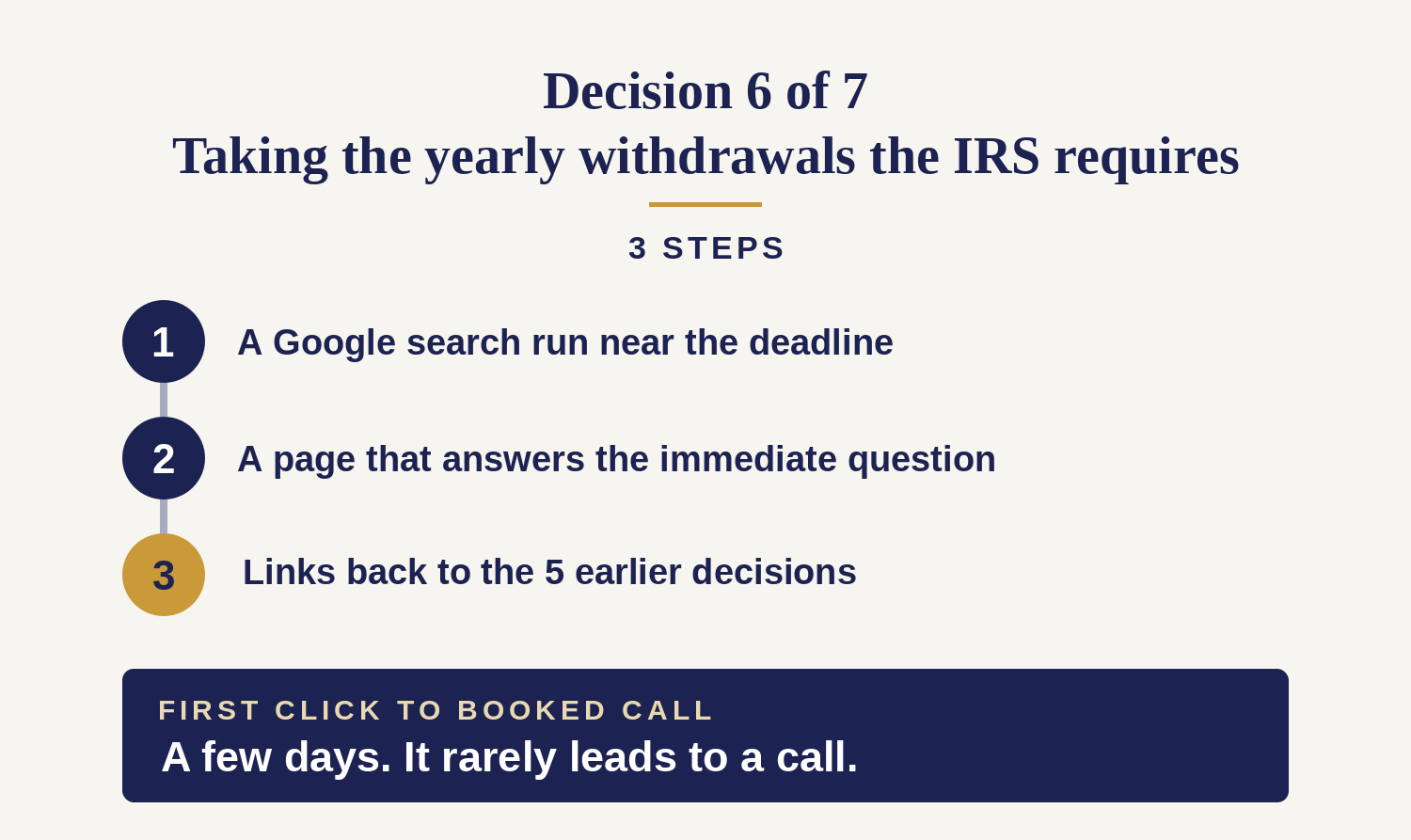
- Links back to the 5 earlier decisions. The same page names the window they have already missed, and links to the decisions where planning still helps.
What makes this one different: by the first required withdrawal most of the planning options have expired. This page’s main job is to send people to the other decisions.
Answer the question, get the email address, and point them to the earlier decisions. Do not build more than 3 steps here.
Decision 7 of 7 — Managing the money after a spouse dies: show them what to do, and by when, in the first 90 days
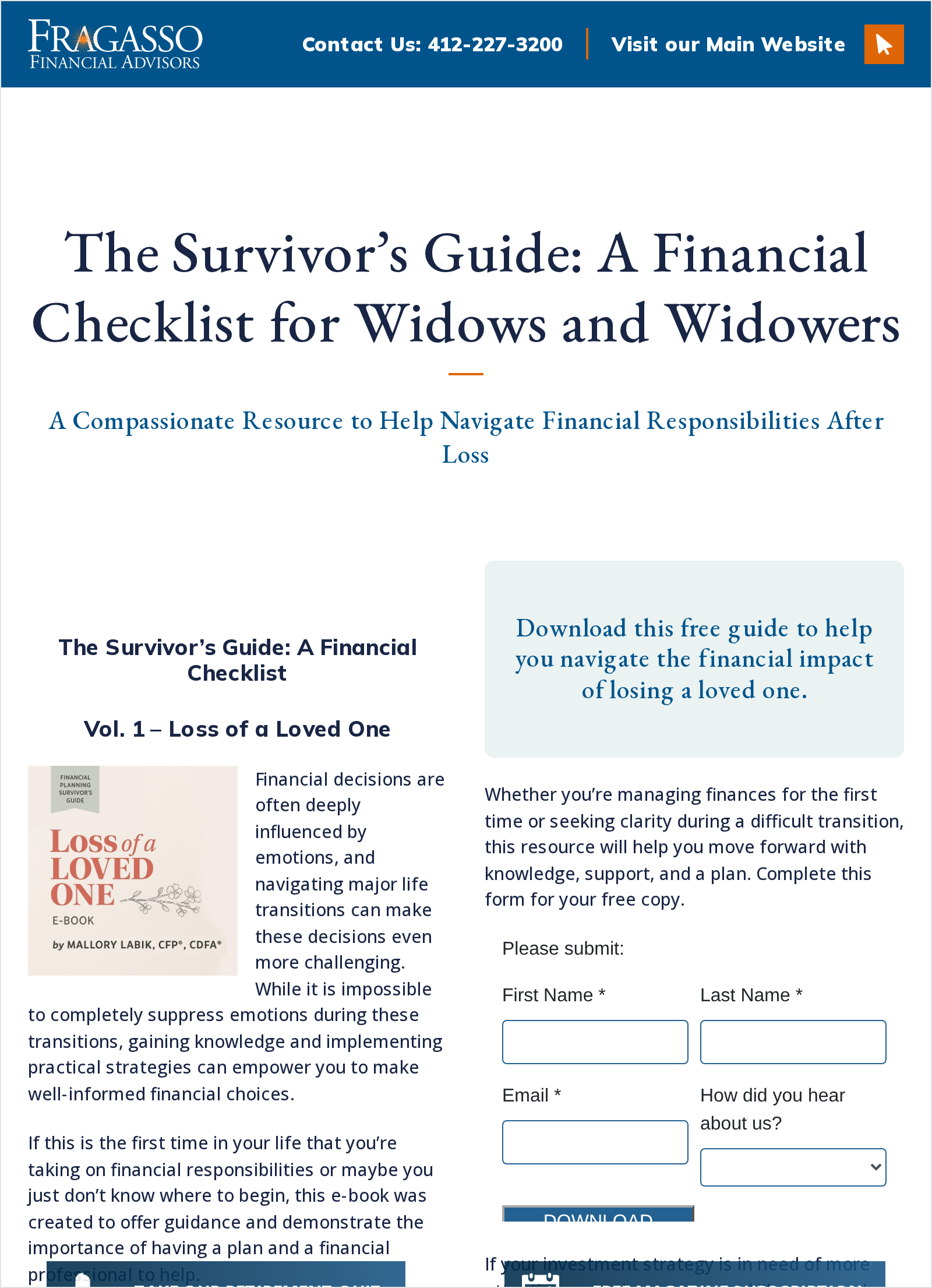
Real example: Fragasso Financial Advisors’ guide page, captured September 2026: a financial checklist for widows and widowers, an e-book in exchange for a name and an email address. The consultation link sits under the form, not above it.
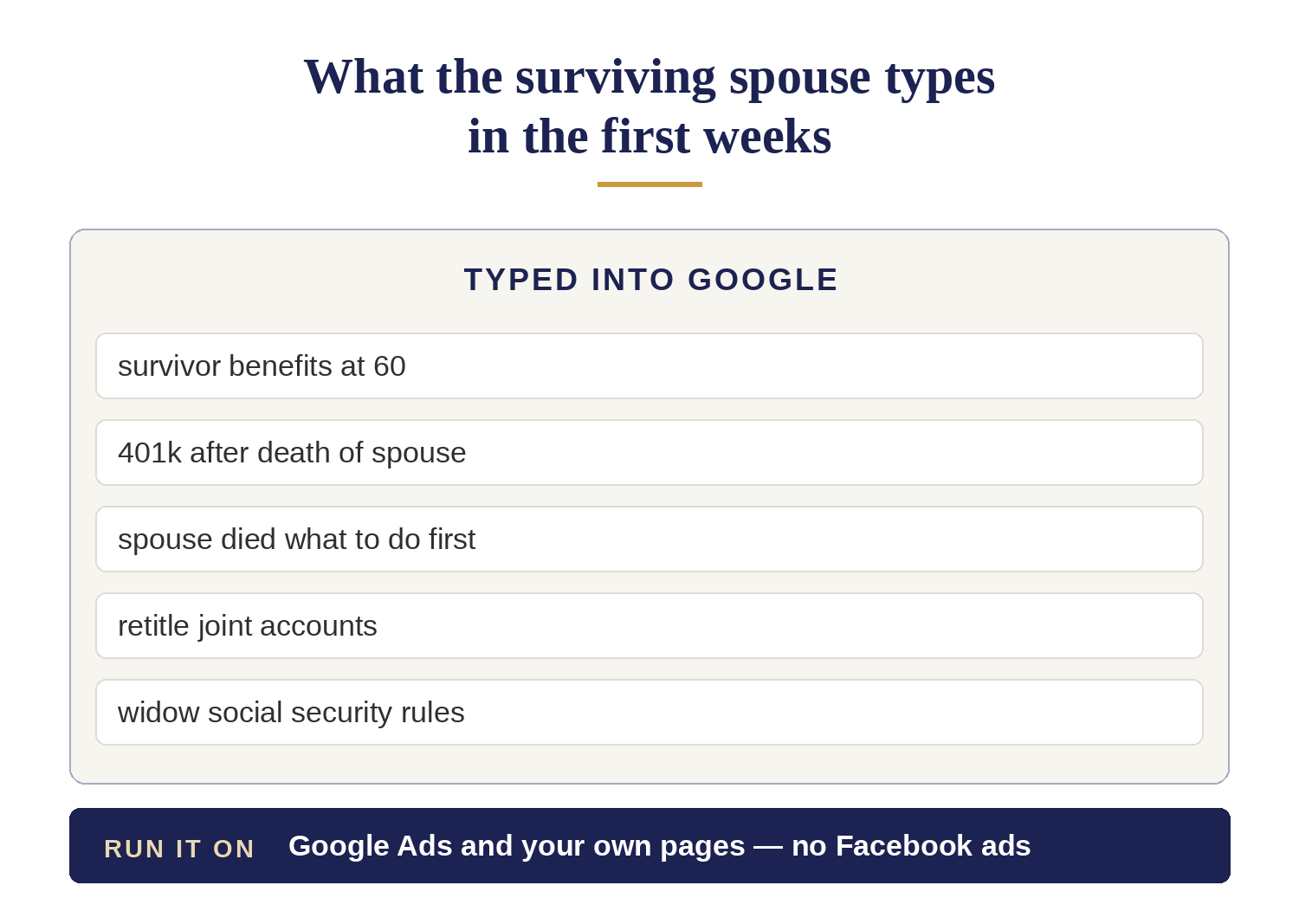
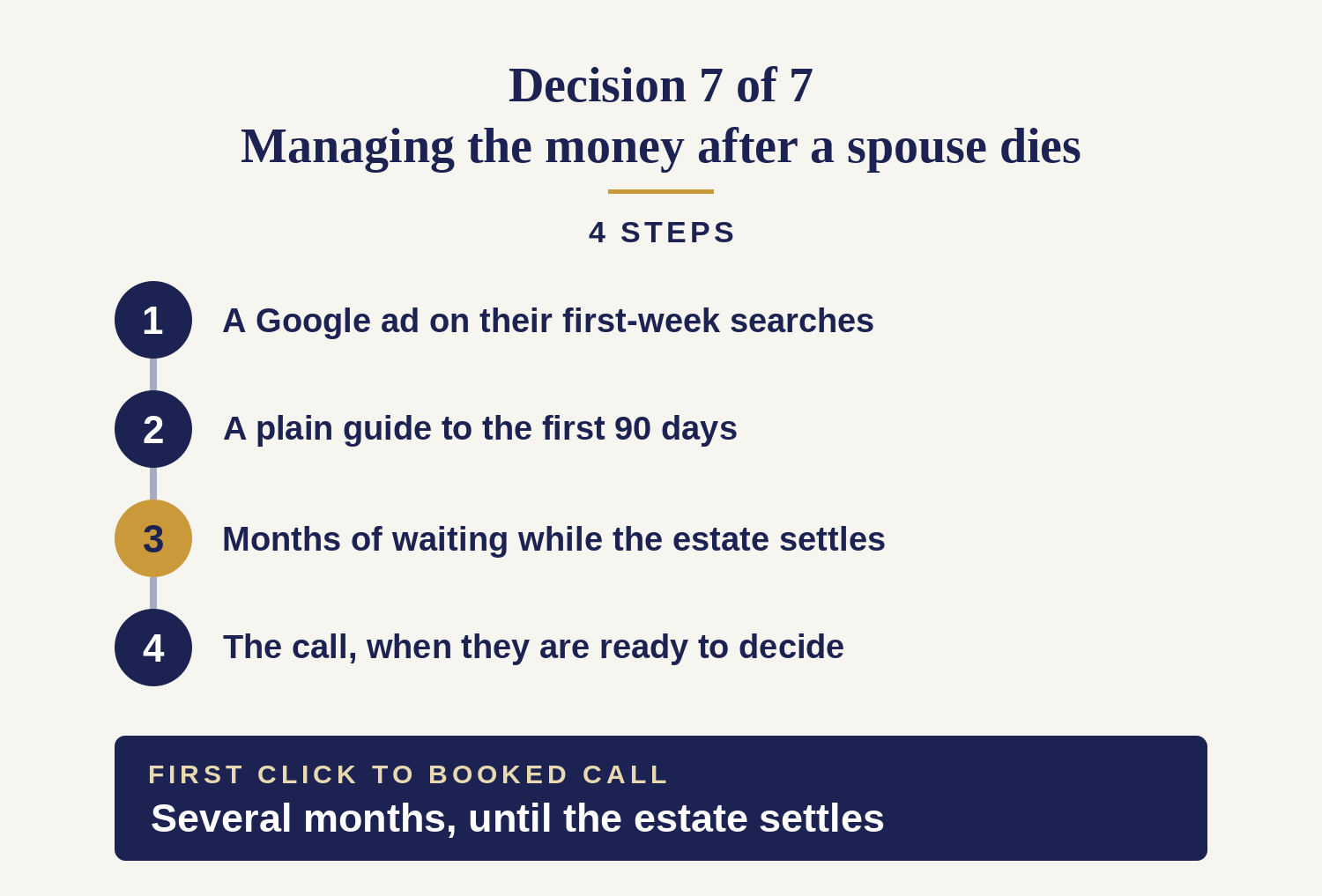
- A Google ad on what they search in the first weeks. Survivor benefits, retitling accounts, what to do first.
- A plain guide to the first 90 days. The benefits to claim, the accounts to retitle, the deadlines that matter — with a person to call when they are ready.
- Months of waiting while the estate settles. The emails stay useful and say nothing about your services.
- The call, once they are ready to decide. Often several months after they first found you.
What makes this one different: the waiting period is part of the plan. The questions come in the first weeks; the big decisions come months later.
If your emails stop during those months, another advisor gets the client. Pushing for a meeting before the estate settles loses them too.
Have it built and run for you: more exclusive leads every month, at a lower cost each time
Winning a retirement client takes a page that answers their question (for example, “can I retire on what I have?”), an offer that earns their email address, the emails that follow, sometimes a webinar, and a call.
If you build it yourself, most of the cost is your own time.
The Pre-Retiree Client Engine is a system we build and run for your practice. It keeps improving, so it brings you more exclusive leads every month, at a lower cost per lead.
You get at least 20 Sales Qualified Leads, guaranteed: if we miss it, we keep working for free until we deliver
Every lead is a real sales opportunity: a person you have had a meaningful conversation with. Only the leads you confirm count.
No 20 Sales Qualified Leads, no fee: we keep working for free until we deliver.
40% of our Sales Qualified Leads become clients, based on our current client’s results.
You meet people with the money and a reason to act now: exclusive leads with $500,000 or more and a decision to make
- Every lead is yours alone: no other advisor gets the same person. They asked to talk to you, not to an advisor picked from a list.
- $500,000 or more in investable assets: pre-retirees and retirees. If a lead has less, you don’t have to accept it.
- A money decision to make now: a rollover, Social Security, taxes, a pension or retirement income.
You hold the advantage: you are the expert they hope has an opening, not a salesperson chasing them. You choose who you take on and set your terms, for example your asset minimum and your fees.
They sign faster: they read your page and watched you speak before they booked, so the first meeting starts on their money, not on who you are.
Your cost per lead falls every month: the system keeps improving, and you own it
Every call and form is traced back to the ad that produced it, and calls are recorded. We feed those results back into the ads, so they aim more and more at the people who become real leads.
- Past visitors keep turning into leads: your pages, your video and your email list keep working months after people first clicked.
- People not ready yet keep seeing you: follow-up ads stay in front of them until the timing is right.
- You own the ad accounts and the pages: the accounts, their data and every lead stay yours. If you stop, nothing is lost.
You get your hours back: your only job is one short video and the meetings
We write the script. You record it. We build and run everything else: the pages, the ads, the follow-up ads and the emails.
- Your ads go live within 1 week of signing.
- Every Sales Qualified Lead lands in your CRM automatically.
- Pages and ads are written for your compliance review.
- A written report every month on leads, quality and spend, with a review call.
You know the whole cost before you start: $10,000 a month, everything included, and you can leave anytime
$10,000 a month covers everything: the ad budget and our fees. No setup fee. No commitment: you can leave anytime.
This is not a price per lead. A bought lead is a name you pay for once, often sold to other advisors too — we scored buying leads against 11 other lead sources, and it loses on almost every dimension. Here you pay for a system you own that keeps bringing you leads.
It scales. More leads means a bigger budget, not more of your time.
Every method in this article works without us. The 7 decisions are real, the 6 steps are real, and an advisor with the time to build them should. The engine is for advisors who would rather spend that time with clients.